


Creating high-quality blog posts isn’t just about writing great content; it’s also about how that content is structured, presented, and experienced by readers.
Small elements like better layouts, visual sections, social sharing options, and inline calls to action can significantly improve how readers interact with a blog post. When used correctly, these enhancements make posts easier to read, more engaging, and more effective at achieving their goals.
WordPress offers thousands of plugins, but not all of them are designed to improve individual blog posts. Many focus on site-wide features, which isn’t always what bloggers and content creators need when working inside the post editor.
In this article, we’ve curated a list of the best WordPress blog post plugins that help improve content structure, visual engagement, reader interaction, and conversions. These plugins are ideal for creators who want to make their posts more engaging without relying on page builders or complex setups.
Plugins That Improve Blog Post Layout & Structure
A well-structured blog post is easier to read, easier to scan, and more engaging. The following WordPress plugins help you organize and present your blog posts more effectively directly inside the block editor, without relying on page builders or theme-level customization.
Ultimate Blocks
Ultimate Blocks is a comprehensive Gutenberg blocks plugin designed to help WordPress users create well-structured, engaging content using the block editor.
While it initially focused on blogging use cases, Ultimate Blocks has evolved into a versatile toolkit for building both posts and pages with better layout control, improved readability, and richer content sections.
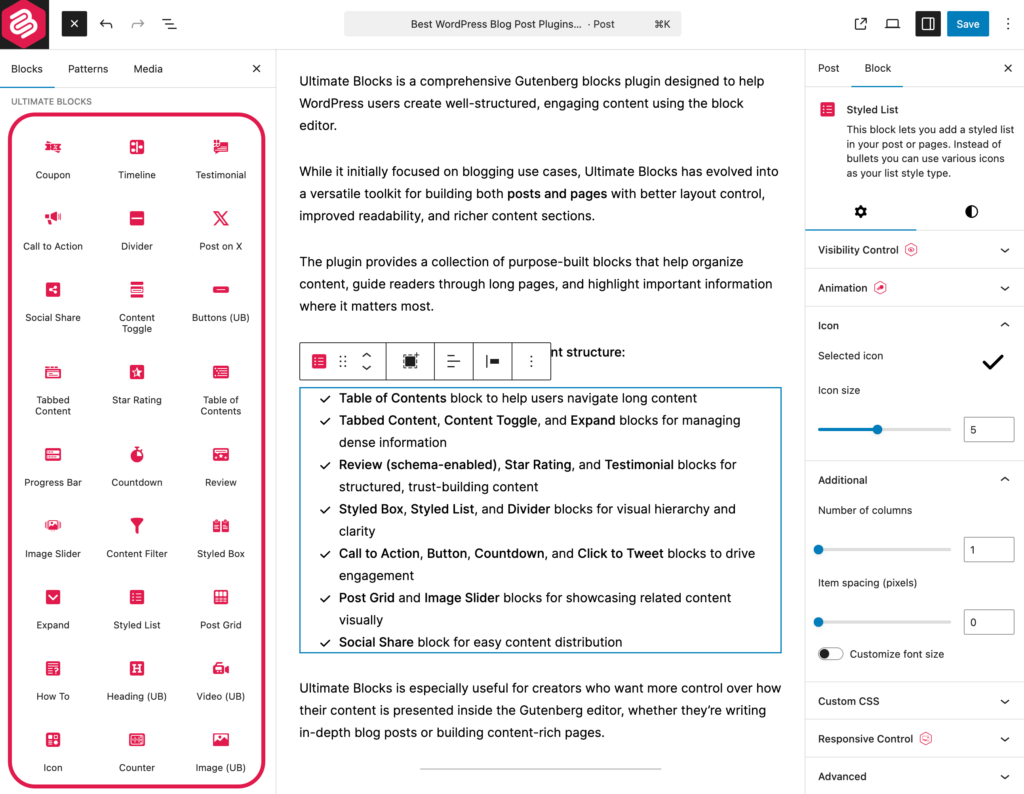
The plugin provides a collection of purpose-built blocks that help organize content, guide readers through long pages, and highlight important information where it matters most.
Key ways Ultimate Blocks improves content structure:
-
Table of Contents block to help users navigate long content
-
Tabbed Content, Content Toggle, and Expand blocks for managing dense information
-
Review (schema-enabled), Star Rating, and Testimonial blocks for structured, trust-building content
-
Styled Box, Styled List, and Divider blocks for visual hierarchy and clarity
-
Call to Action, Button, Countdown, and Click to Tweet blocks to drive engagement
-
Post Grid and Image Slider blocks for showcasing related content visually
-
Social Share block for easy content distribution
Ultimate Blocks is especially useful for creators who want more control over how their content is presented inside the Gutenberg editor, whether they’re writing in-depth blog posts or building content-rich pages.
PostX
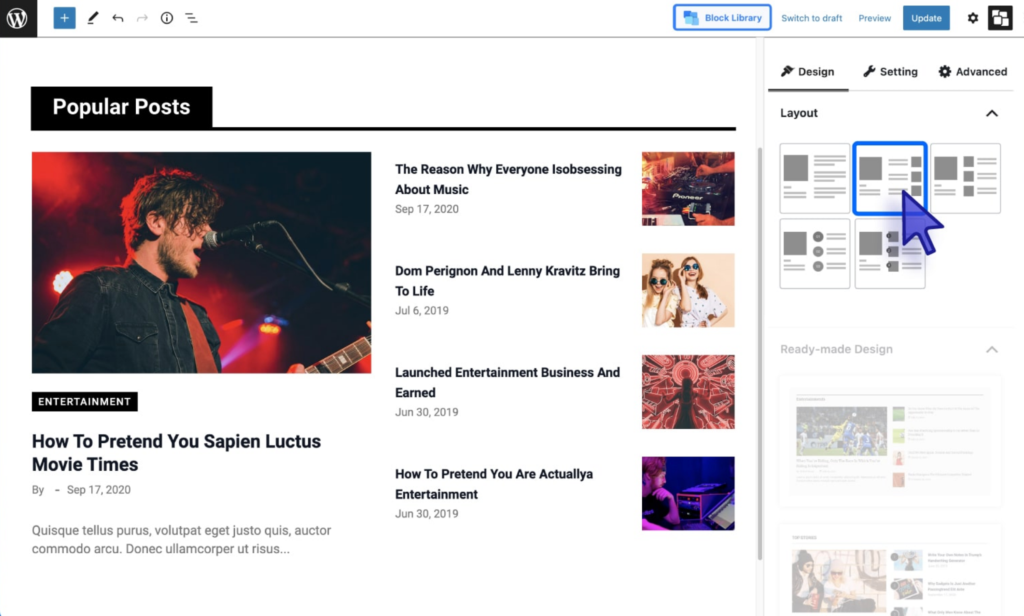
PostX is ideal for bloggers who want more advanced layout options inside their blog posts. While it’s often known for post grids and dynamic blocks, it can also be used effectively within post content to create structured sections and content-heavy layouts.
PostX works well for blogs that publish:
- Tutorials and guides
- Magazine-style or news content
- Posts that reference or showcase other articles
How it improves blog post structure:
- Allows insertion of post grids or lists within content
- Helps organize related or featured posts inside articles
- Provides pre-designed block patterns for content sections
Used thoughtfully, PostX can enhance blog posts without turning them into complex page-builder layouts.
WP Table Builder
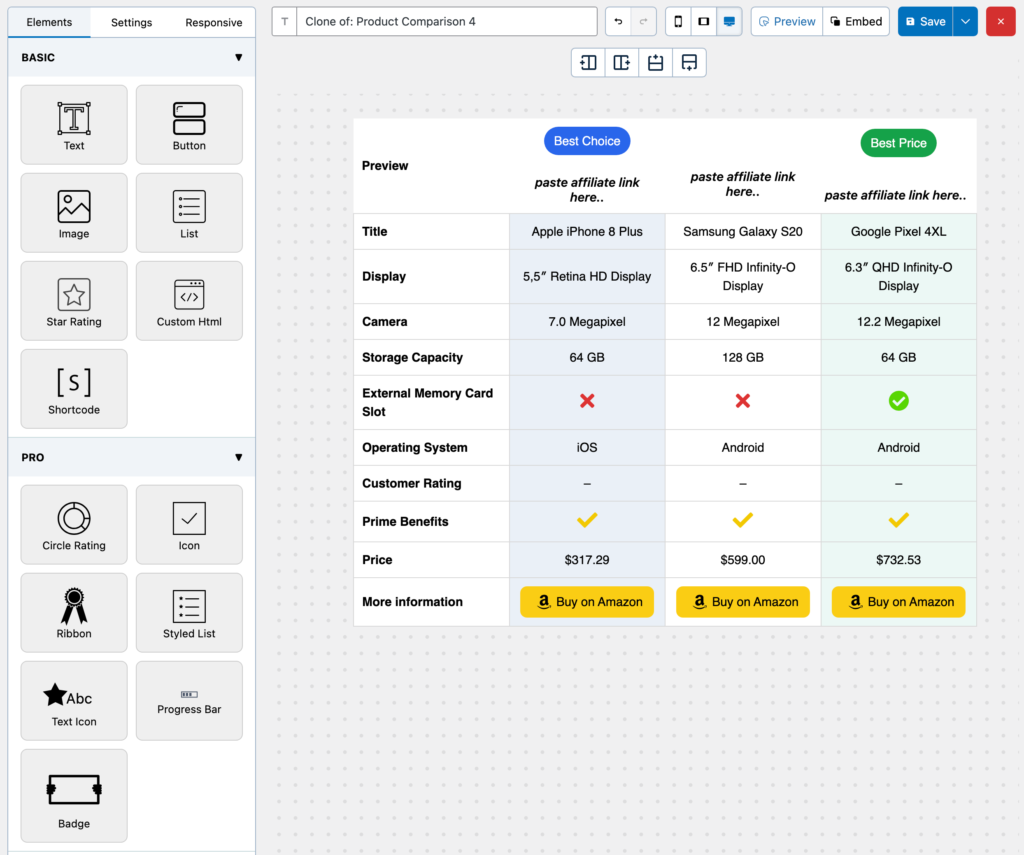
WP Table Builder helps bloggers present structured information clearly using drag-and-drop tables. It’s especially useful for posts that compare products, tools, features, or data points.
Instead of long paragraphs or bullet lists, tables allow readers to scan information quickly and understand key differences at a glance.
Common blog post use cases:
- Comparison tables
- Feature breakdowns
- Pros and cons sections
- Pricing or specification summaries
For data-heavy or review-style blog posts, WP Table Builder significantly improves clarity and user experience.
Plugins for Blog Post Design & Visual Engagement
Visual elements can significantly improve how readers experience a blog post. When used thoughtfully, galleries and sliders help illustrate ideas, support storytelling, and keep readers engaged.
The following plugins focus specifically on adding visual elements inside blog posts using the Gutenberg editor, making them ideal for content-driven sites.
Galleryberg
Galleryberg is a Gutenberg gallery plugin that helps creators add visually appealing image galleries directly inside blog posts and pages.
Instead of relying on basic image blocks, Galleryberg offers enhanced gallery layouts that improve how images are presented within written content. This makes it easier to support text with visuals without cluttering the post.

How Galleryberg enhances blog posts:
- Creates clean and modern image galleries inside content
- Helps organize multiple images in a structured layout
- Improves visual clarity for tutorials, reviews, and list-based posts
Galleryberg works best for blog posts where images are used to explain concepts, show examples, or complement written sections.
Sliderberg
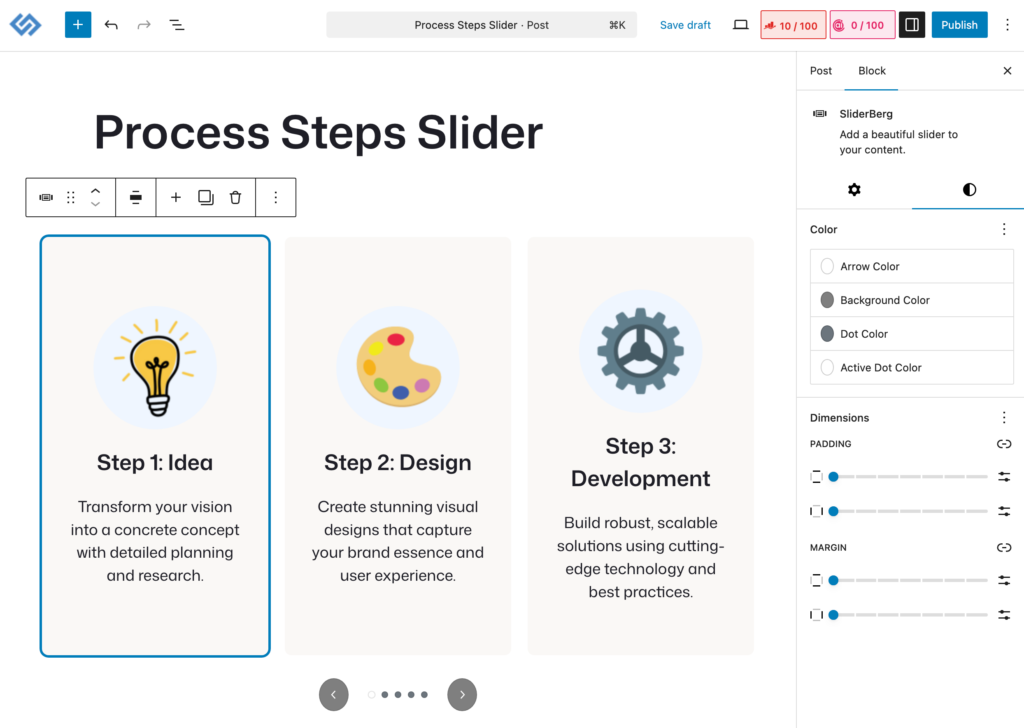
Sliderberg allows bloggers to add responsive image sliders directly within the Gutenberg editor. It’s a lightweight solution for grouping related visuals in a compact, interactive format inside blog posts.
Sliders can help reduce visual clutter while still showcasing multiple images in a focused way.
Common blog post use cases:
- Step-by-step image walkthroughs
- Sliders with CTA buttons
- Highlighting related visuals without breaking the content flow
Sliderberg is most effective when used selectively to enhance visual storytelling within blog posts.
Plugins That Improve Writing, Readability & Optimization
Well-designed layouts and visuals matter, but content quality ultimately determines how effective a blog post is. Clear writing, logical structure, and readable formatting all play a major role in keeping readers engaged.
The following plugin focuses on improving blog post content while you write, offering guidance directly inside the WordPress editor.
Rank Math
Rank Math is commonly known as an SEO plugin, but for bloggers, its most valuable features are the per-post content analysis and writing guidance it provides inside the editor.
Rather than focusing only on site-wide optimization, Rank Math helps authors improve individual blog posts by offering real-time feedback on structure, readability, and content completeness as they write.
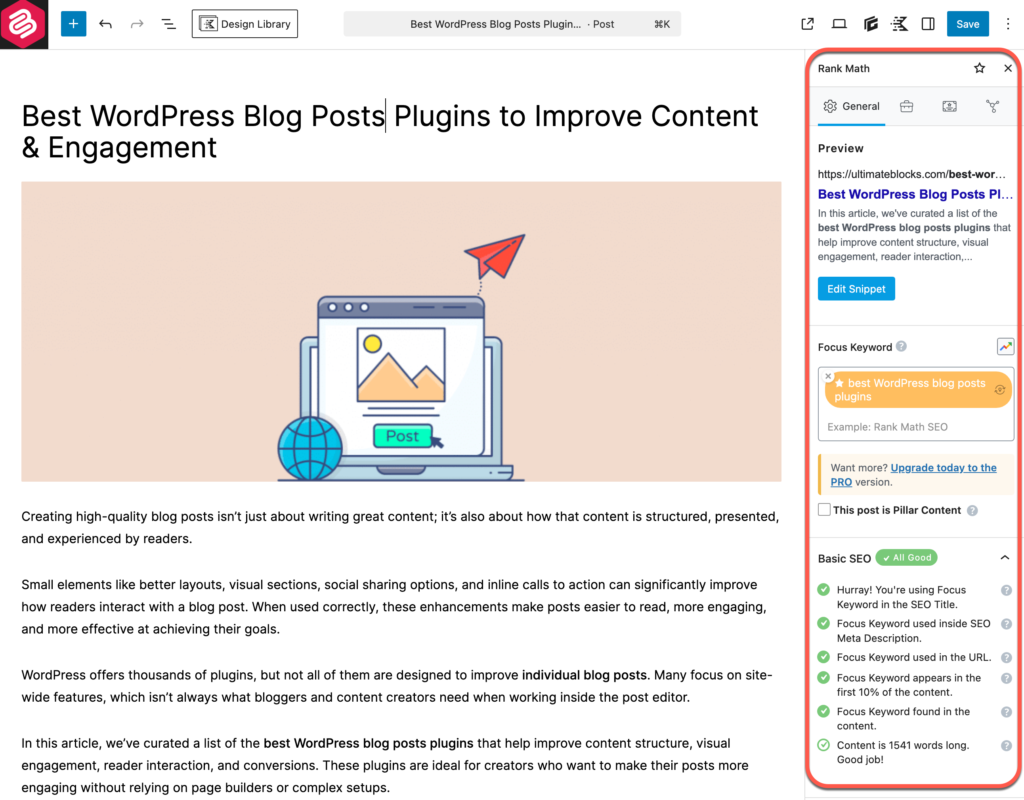
How Rank Math improves blog post writing and optimization:
- Provides content analysis and recommendations on a per-post basis
- Encourages proper use of headings and content structure
- Helps improve readability and content clarity
- Offers guidance on content length and topic coverage
By surfacing these insights directly within the post editor, Rank Math helps writers refine their content before publishing—resulting in blog posts that are easier to read, better organized, and more effective for both readers and search engines.
Plugins That Increase Reader Interaction & Engagement
Engagement is what turns passive readers into active participants. Features like comments, reactions, and social sharing encourage readers to interact with your content rather than just consume it.
The following plugins focus on in-post engagement, helping you increase discussion, shares, and reader involvement directly within blog posts.
WPDiscuz
WPDiscuz enhances the default WordPress commenting system with a more interactive and user-friendly experience. It’s designed to encourage readers to leave comments and participate in discussions directly below blog posts.
Instead of basic, static comments, WPDiscuz adds modern interaction features that make conversations feel more dynamic and engaging.
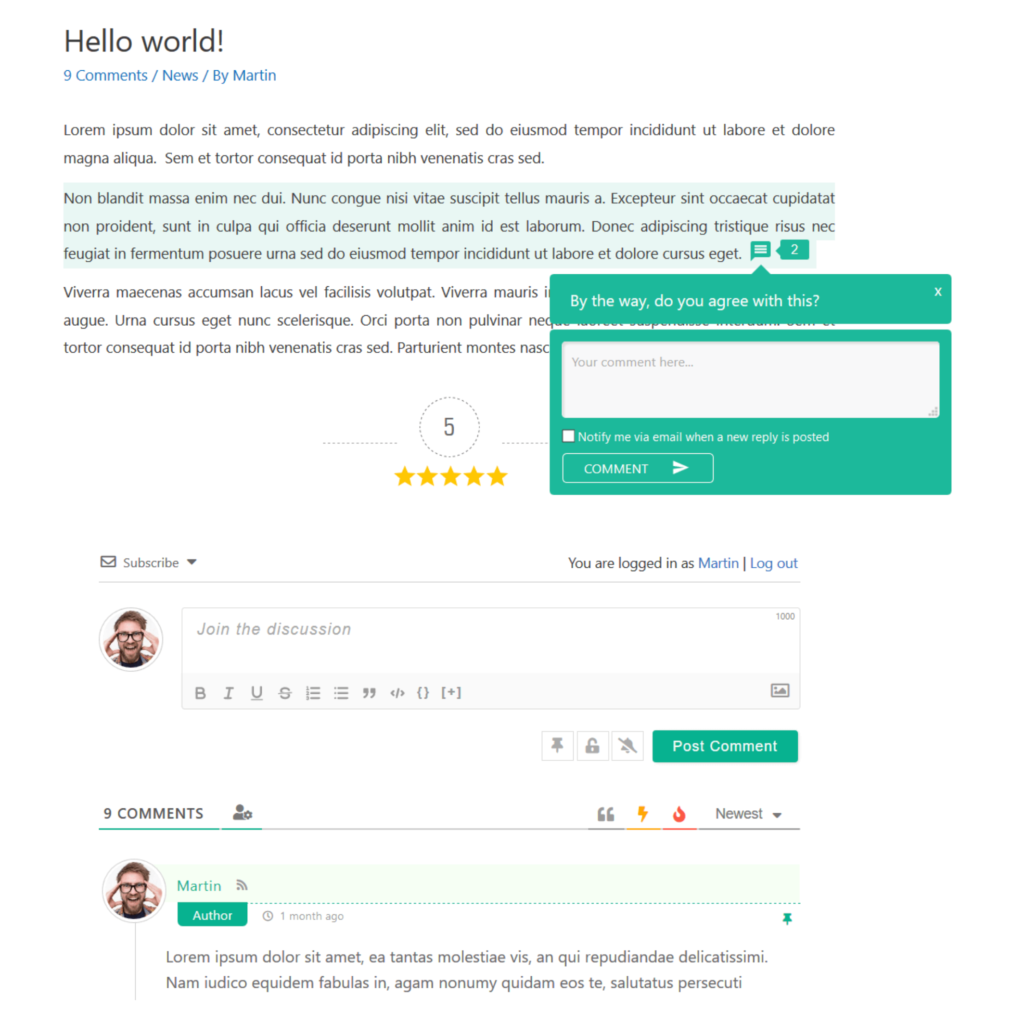
How WPDiscuz improves blog post engagement:
- Real-time commenting and live updates
- Comment voting and reactions to encourage participation
- Improved comment layout for better readability
- Helps foster discussion around individual blog posts
WPDiscuz is especially useful for blogs that rely on reader feedback, discussions, or community interaction as part of their content strategy.
Social Snap
Social Snap helps readers share your blog posts easily across social media platforms without disrupting the reading experience. By placing share buttons directly within or around post content, it reduces friction and encourages distribution.
Rather than focusing on site-wide sharing widgets, Social Snap works well when configured for individual blog posts, making it easy for readers to share content they find valuable.
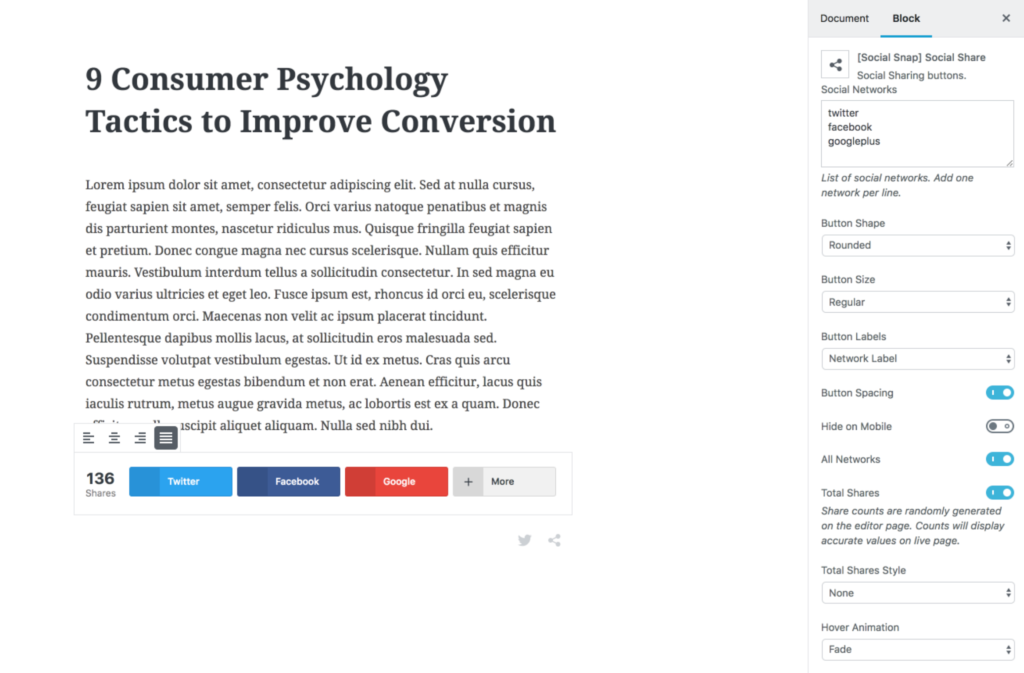
How Social Snap supports engagement:
- Adds social share buttons within blog posts
- Encourages readers to amplify content with minimal effort
- Supports inline and floating share options
- Helps increase visibility through reader-driven sharing
Social Snap is a strong fit for content-focused blogs where organic sharing plays a key role in audience growth.
Plugins That Convert Blog Readers Into Subscribers or Leads
Engagement is valuable, but conversions are what help blogs grow sustainably. Once readers are actively consuming and interacting with your content, the next step is giving them a clear and relevant action to take.
The following plugin focuses on converting engaged blog readers directly from within posts, without interrupting the reading experience.
ConvertForce
ConvertForce is a conversion-focused WordPress plugin designed to help creators turn blog readers into subscribers or leads using targeted bars, popups, and slide-ins.
Instead of relying on site-wide popups alone, ConvertForce allows you to display context-aware calls to action that appear inside or alongside blog posts, making them more relevant to what the reader is already consuming.
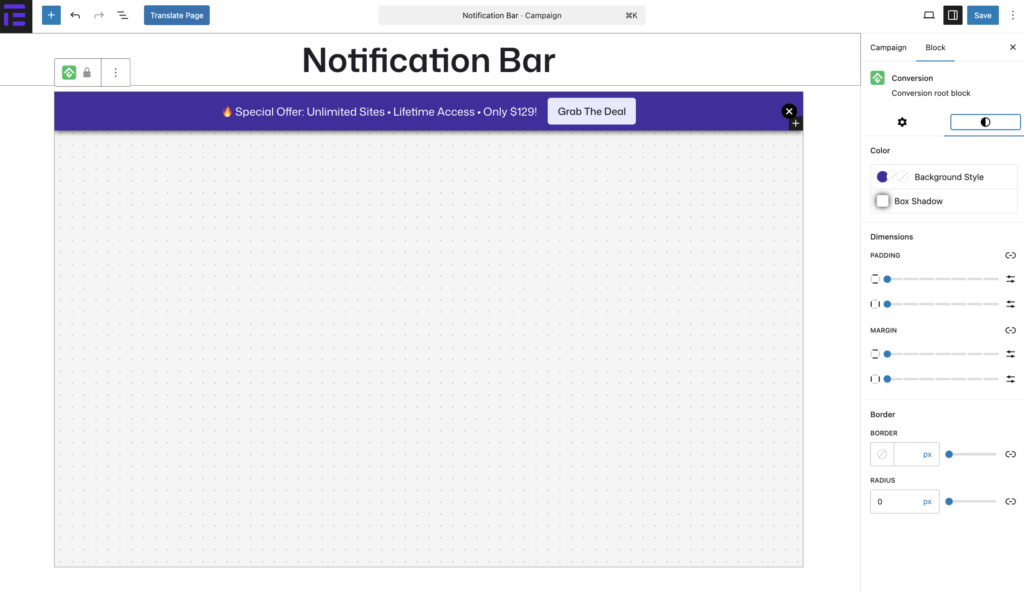
How ConvertForce supports blog post conversions:
- Adds inline and post-specific calls to action
- Displays targeted offers based on content or user behavior
- Helps promote lead magnets, subscriptions, or next-step actions
- Converts engaged readers without disrupting content flow
ConvertForce works best when paired with high-quality blog content, allowing you to capture interest at the moment readers are most engaged.
Conclusion
Improving your blog posts goes beyond writing quality content. The way your posts are structured, designed, and presented plays a major role in how readers engage with them.
The plugins covered in this guide focus specifically on enhancing individual blog posts, from layout and visual presentation to interaction and conversions. Used together or selectively, they help make your content easier to read, more engaging, and more effective at achieving your goals.
You don’t need to use every plugin on this list. Choose the ones that align best with your content style and audience, and build from there.
If you have questions about any of the plugins mentioned or need help deciding which ones are right for your blog, feel free to leave a comment below.
Disclosure: This post contains affiliate links. If you make a purchase using any of these links, we might get a small commission without any extra cost to you. Thanks for your support.


Leave a Reply