 Skip to content

There’s no doubt about it; videos are gradually taking over more space in the SERPs than written content.
If you’re a blogger and want to leverage the power of videos on your WordPress blog, you’re in the right place.
This blog post will walk you through 11 of the best WordPress plugins that can assist you in seamlessly embedding videos, generating playlists, and even monetizing your content.
With these plugins, you’ll be able to take your website to the next level and engage your audience like never before.
Plugin | Best For | Standout Feature | More Info |
|---|---|---|---|
YouTube Embed Plus | Advanced Performance | Lazy loading with “Facades” (speeds up site) | |
Ultimate Blocks | Gutenberg Power Users | Advanced Video Block with custom thumbnails | |
WP Social Ninja | All-in-One Social Feeds | Combines YouTube feeds with reviews & chat widgets | |
GS YouTube Gallery | Design Variety | 8+ layout themes (Masonry, Slider, Popup) | |
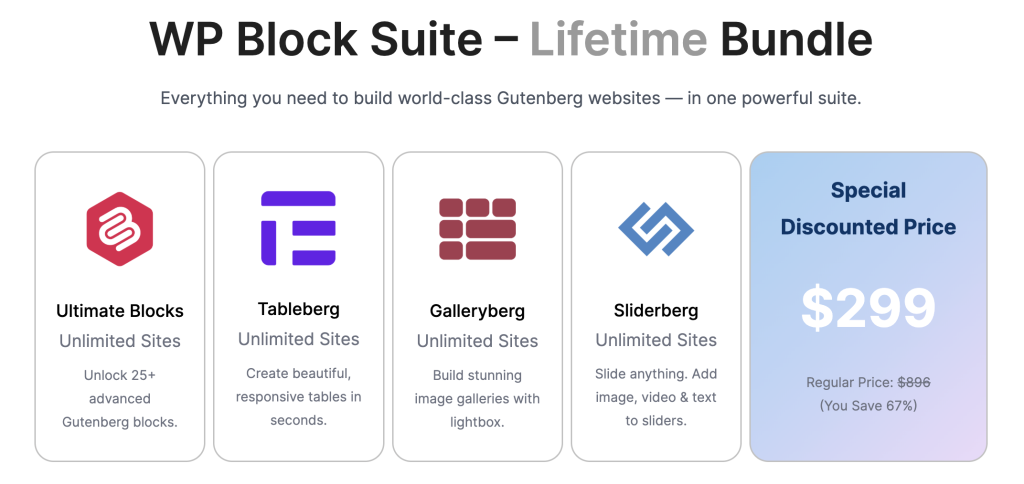
Sliderberg | Gutenberg Video Sliders | “Slide Anything” tech—put YouTube blocks inside sliders | |
FancyTube | Automated Playlists | YouTube Data API integration for auto-syncing | |
Feeds for YouTube | Social Proof & GDPR | 1-click GDPR compliance & automated feeds | |
YouTube Playlist Player | Simplicity & Speed | Native HTML5 lazy loading & fluid aspect ratio | |
YouTube Gallery | Visual Customization | Unlimited shortcode generator with 16 free themes | |
YourChannel | Channel Branding | Displays channel banner, profile pic, & total views | |
YotuWP | Modern Aesthetics | 20+ hover effects & “Mix” layout style |
Now let’s explore the plugins!
1. YouTube Embed Plus
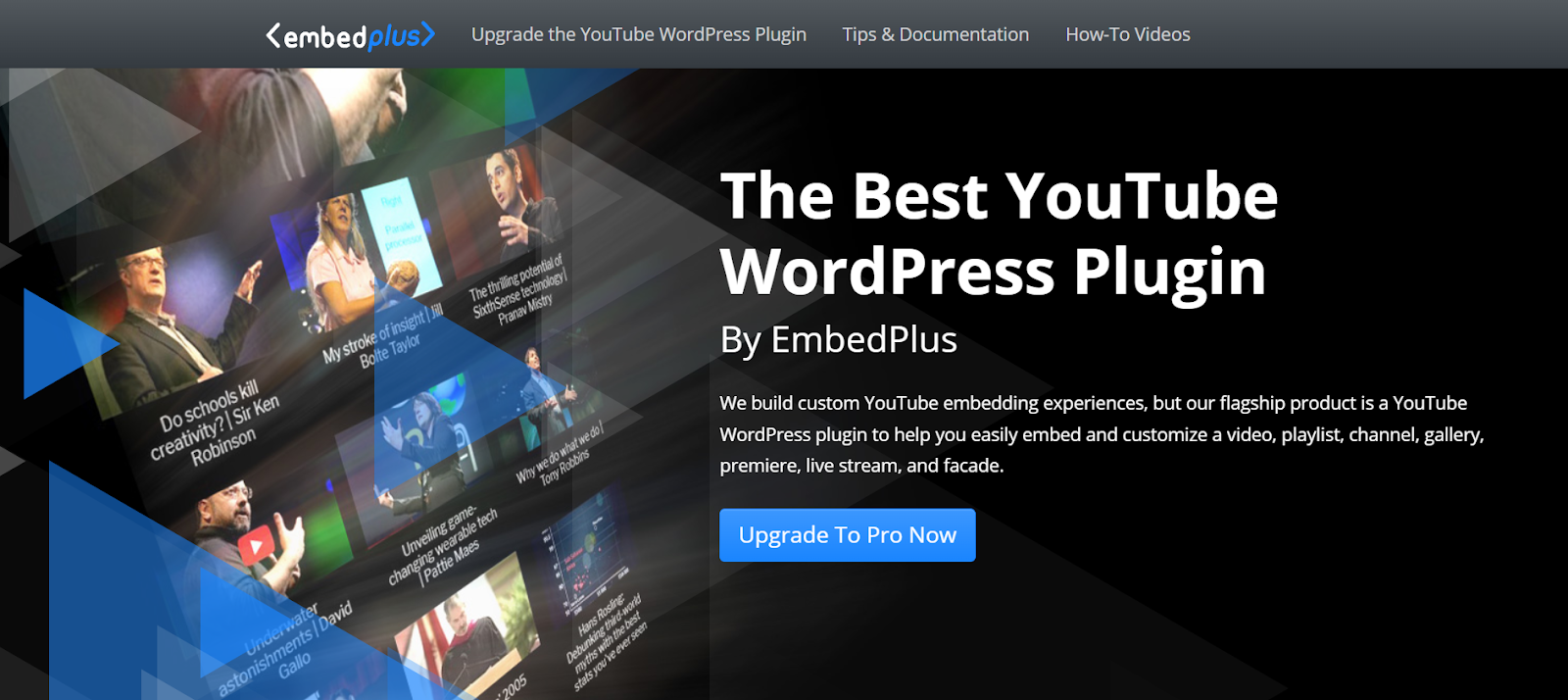
Are you looking for a way to easily manage the complexity of YouTube embedding on your WordPress website? Look no further than the YouTube WordPress plugin!
This powerful tool offers a range of basic and advanced features that make it simple to post videos on your website. One of the most notable features of the plugin is the settings page, which offers a variety of options that you can apply to your embedded YouTube videos, galleries, and live streams.
You can choose to hide the YouTube logo while playing, turn on or off annotations by default, and automatically center your videos. You can also loop your videos, show or hide related videos at the end, and even choose to use the light theme.
Another great feature of the plugin is its ability to make your videos, galleries, and live streams responsive—which you can display using any layout you prefer. With these versatile options, you can easily customize your embedded YouTube videos to match the needs of your website perfectly.
Also Read: How to Add & Embed Videos in WordPress
Key Features
- Easy Customization
- Analytics Dashboard
- Flexible Gallery Layouts
- Interactive Live Streaming
- Animations & Lazy Loading
- Optimised to Boost Loading Speed
Price
The basic version of the plugin is free. And the pro version starts at $39.99 for one site.
2. Ultimate Blocks

Ultimate Blocks is a versatile plugin designed for WordPress users who wish to enhance their website’s functionality and aesthetics with advanced Gutenberg blocks. This plugin caters to a broad range of needs, from simple design tweaks to complex feature enhancements.
One of Ultimate Blocks’ standout features is the ‘Advanced Video‘ block, which specifically addresses the needs of users looking to embed YouTube videos. This block is tailored to make video integration smooth and feature-rich.
The ‘Advanced Video’ block comes packed with various features, including customizable aspect ratios, player controls, and options for custom start times and looping. It further allows for setting custom thumbnails and, for users of the Pro version, includes a YouTube subscription button. Additional visual customization options like border, border radius, and shadow are available to fine-tune the video’s appearance.
With Ultimate Blocks, you can embed YouTube videos with ease, ensuring a professional presentation that enhances viewer engagement. This tool is a game-changer for content creators and marketers, giving them the confidence to regularly incorporate videos into their sites, knowing that it will significantly boost their audience’s interest.
Key Features
- Advanced Video Block
- Aspect Ratio
- Player Controls
- Custom Start Time
- Looping
- Custom Thumbnail
- YouTube Subscription Button
- Visual Customization
Pricing
Ultimate Blocks is a free plugin, that comes with a pro version as well. The pro plan starts at $49 for a single site.
3. WP Social Ninja

WP Social Ninja is the most complete WordPress YouTube plugin and is well-known for its simple and efficient design. Its versatile and robust features make it a perfect choice for eCommerce businesses, marketers, content creators, streamers, and academicians.
The true strength of this plugin lies in its dynamic customization and performance optimization features. WP Social Ninja will let you display your entire channel, playlists, live streams, or specific customized videos. You can also choose from multiple play modes based on how you want the content to appear.
Its pre-built template will help you get started right away, and advanced filters will enable you to showcase content that fits your audience’s needs. Besides, with advanced styling options, the visual appeal of your integrated feed will blend smoothly with your site’s design.
WP Social Ninja supports API-based YouTube integration and allows GDPR compliance, so your audience can enjoy uninterrupted content while their digital privacy remains protected. It also comes with auto-caching, thumbnail image optimization, and local storage support. This ensures lightning-fast loading speed without adding any bloat.
Key Features
- Easy setup with stable API connection
- Compatible with most page builders
- GDPR compliance for better privacy
- Auto-fetching new videos
- Saving images locally for better speed
- Connecting multiple accounts
- Live streaming, carousels, and playlist integration
- Advanced filtering and customization
- Customizable subscribe button
- Shortcode supported
Price:
The plugin has a free version in the WordPress repository. And the pro version costs $44 per year for a single site after the discount.
4. GS YouTube Video Gallery

The GS YouTube Video Gallery is a responsive WordPress plugin that showcases YouTube videos from channels or playlists on your website. With flexible layouts and customization options, users can create engaging galleries that boost site interactivity. It supports shortcodes and widgets, making it easy to embed videos anywhere.
The plugin offers multiple themes, including grid, list, slider, popup, and masonry layouts, allowing flexible video displays. It supports unlimited videos and works with any standard WordPress theme. Developer-friendly, it provides custom CSS options and W3C-valid markup for smooth customization. Pagination and category filters enhance navigation, while users can manage video elements like title, author, date, category, and tags.
The Pro version unlocks advanced features, including eight premium themes like overlays, masonry, popup, and justified layouts. It adds control over video elements and lets users limit details by character count. In addition to priority email support, free installation assistance, and regular updates, Pro users are provided with a comprehensive solution for showcasing YouTube content.
Features:
- Fully responsive for all device sizes.
- Includes grid, list, slider, popup, and masonry layouts.
- Works with any standard WordPress theme.
- Custom CSS and W3C markup supported.
- Adds pagination and category filters.
- Control title, author, date, and tags.
- Use shortcodes and widgets to embed.
- Pro adds themes, support, and updates.
5. Sliderberg

Sliderberg is a modern, lightweight WordPress slider plugin designed for the Gutenberg block editor. It is widely recognized for its “Slide Anything” approach, making it an ideal choice for bloggers, small business owners, and creative agencies who want to maintain high site performance without sacrificing visual appeal.
The true strength of Sliderberg lies in its native integration with the WordPress block editor. Unlike traditional slider plugins that rely on heavy external builders or complex shortcodes, Sliderberg allows you to use any Gutenberg block, including the core YouTube block, inside your slides. This means you can create engaging video carousels, hero sections, and product showcases directly within the familiar editing interface.
Its intuitive design allows you to get started with pre-designed patterns, while advanced transition effects like slide, fade, and zoom ensure a professional look. You have full control over the slider’s behavior, including autoplay settings, pause-on-hover, and infinite looping, allowing you to tailor the experience to your audience’s browsing habits.
Sliderberg is engineered with a performance-first mindset, ensuring that your video sliders are fully responsive and touch-friendly on all devices. Because it uses clean, optimized code and avoids unnecessary bloat, it keeps your website’s loading speed fast, which is essential for both user experience and SEO.
Key Features
- Native Gutenberg block integration
- “Slide Anything” capability (Text, Images, Videos, Buttons)
- Lightweight and performance-optimized
- Fully responsive and touch-swipe enabled
- Multiple transition effects (Slide, Fade, Zoom)
- Carousel mode for displaying multiple slides
- Customizable navigation arrows and dot indicators
- Autoplay and infinite loop controls
- No shortcodes required
Price:
Sliderberg is currently available as a completely free plugin in the WordPress repository, providing all its core features at no cost.
6. FancyTube

FancyTube is a powerful WordPress plugin that makes it easy to display YouTube videos on your website. With this plugin, you can create video galleries, sliders, and playlist displays to showcase your content beautifully. It’s fully responsive, meaning your videos will look great on any device. FancyTube helps keep your site fast while offering plenty of customization options like player controls, layout designs, and typography settings.
The plugin uses the YouTube Data API, which allows you to automatically import videos from your YouTube channel or playlist. You can also use the simple shortcode generator to add videos to your site without needing to code. This saves you time and effort.
FancyTube is ideal for users who want to create engaging video content without slowing down their website. It offers features like customizable subscribe buttons and multiple layout options, making it perfect for bloggers, content creators, and businesses.
Key Features:
- Unlimited Video Galleries
- Video Sliders and Playlists
- YouTube API Integration
- Fully Responsive
- Easy Shortcode Generator
- Customization Options
- Subscribe Button
- Fast and Lightweight
Price:
The basic version of FancyTube is free, and the Pro version starts at just $39.99 for one site.
7. Feeds for YouTube

Looking to enhance your website’s social engagement and generate dynamic content simultaneously? The Feeds for YouTube plugin is the perfect tool for you.
It allows you to automatically display customizable YouTube channel feeds on your website, creating a dynamic and visually appealing gallery.
One of the standout features of the plugin is its customization options. Not only does it inherit your website’s theme styles by default, but it also allows you to enter your own custom CSS or JavaScript for extra customization. Plus, the plugin is fully responsive and mobile-optimized, ensuring your feeds look great on any device.
Feeds for YouTube also offers multiple layouts for displaying your YouTube videos. Whether you prefer a list, gallery, or grid layout, the plugin has you covered. With the ability to display multiple feeds from different YouTube channels, you’ll have the flexibility to showcase content in the way that best suits your website.
And don’t worry about slow loading times – the plugin is optimized for minimal bloat and efficient requests to YouTube, resulting in lightning-fast feed loading!
Key Features
- Easy To Setup
- GDPR Compliant
- Multi-Language Support
- Live Streaming Feeds
- Combine Multiple Feeds Into One
- Filter Out Certain Videos Using Keywords
Price
The plugin has a free version in the WordPress repository. And the pro version costs $49 per year for one site.
8. YouTube Playlist Player

Meet the YouTube Playlist Player, which makes adding videos to your website is as easy as pie. By simply using a shortcode, it pulls videos, video titles and other metadata automatically for a more engaging and interactive experience. It’s like having your own personal video butler!
This plugin is also fully responsive, ensuring that it will work seamlessly on all themes and screen sizes. It uses the default YouTube Embed Code (iframe) and even offers an optional privacy-enhanced mode, because who doesn’t like a little extra privacy?
Additionally, the plugin utilizes native HTML5 Lazy loading and optimized code for speed. Overall, the YouTube player plugin is a great way to easily and effectively add YouTube videos to your website, and make it fun and enjoyable.
Key Features
- Mobile Responsive
- Work on All Themes
- Optimized for Speed
- Enabled via Shortcode
- Native HTML5 Lazy Loading
Price
It’s a completely free plugin.
9. YouTube Gallery

YouTube Gallery lets you add unlimited videos with smooth animations and engaging effects. It has 9 different layouts and an unlimited shortcode generator, letting you play around with tons of styles for your videos.
One of the standout features of the plugin is its user-friendly editor. You can use it to design and customize video galleries while utilizing its 16 free themes, a sleek lightbox, and various hover effects to enhance the visual appeal of your galleries.
It also offers touch-friendly design and gallery pagination. The plugin is compatible with all major WordPress versions and can handle a variety of video formats. It also plays nicely with your existing HTML and CSS, making it a great option for responsive layouts.
With custom animations and unlimited zooms on page, this plugin is sure a good consideration for your YouTube needs.
Key Features
- Gallery Pagination
- Gallery Animations
- Video Lightbox Effect
- 24/7 Technical Support
- Unlimited Zooms on Page
- Unlimited Shortcode Generator
Price
The plugin has both free and pro versions. The pro version costs $15 for a single site.
10. YourChannel
Note: The plugin has not been updated for one year.
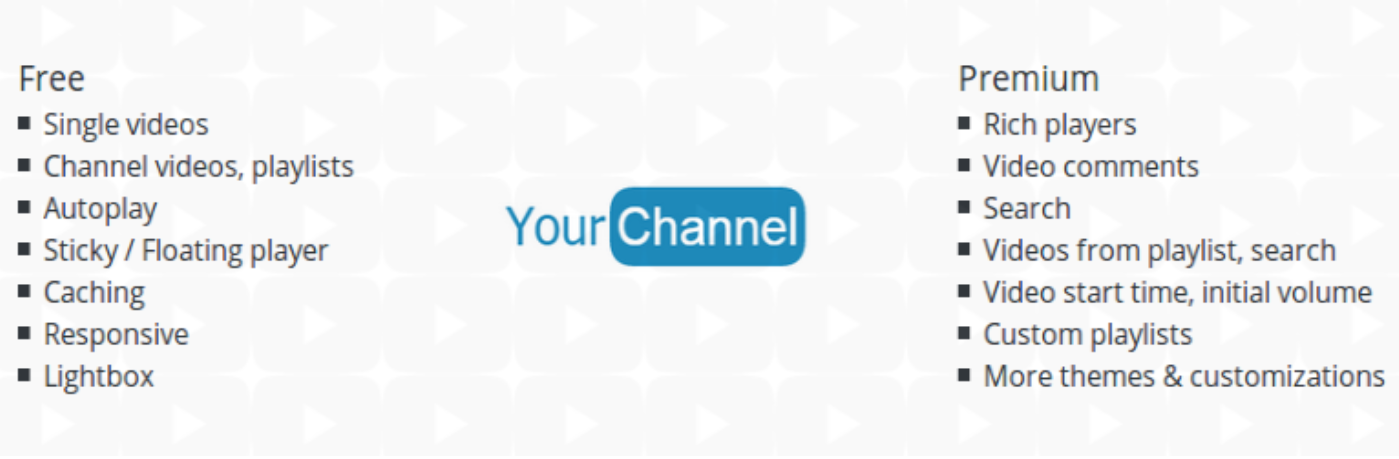
YourChannel is a tool that allows you to turn your website with YouTube links into an engagement platform. It lets you pick and choose which videos and playlists to display, and you can even add in a total count of videos and views for an extra dose of bragging rights.
YourChannel offers a range of customization options, including 7 different video thumbnail styles, RTL support, and font icons. The tool is also responsive and designed to provide smooth transitions between pages.
It lets you create custom playlists, let users search YouTube from your website, and even convert visitors into YouTube subscribers. Its sticky player keeps the video playing, even when users scroll away.
You can use its shortcode feature to quickly add videos and playlists to your pages, posts, or custom fields. It has an autoplay option, easy shortcode instructions in the post editor, and a cache system for fast loading. Overall, YourChannel is an excellent tool for anyone looking to create an engaging and user-friendly YouTube-based website.
Key Features
- Sticky Player
- Autoplay Option
- Easy Visual Builder
- 7 Video Thumb Styles
- Play Videos in Lightbox
- Cache System for Fast Loading
Price
It’s a freemium plugin. The premium version costs $29 per year for one site.
11. YotuWP
Note: The plugin has not been updated for two years.

YotuWP is a powerful video gallery plugin that helps your website capture your audience’s attention while standing out from the competition. One of its key features is automatically loading new videos, ensuring your content is always fresh and up-to-date.
With 5 different UI styles to choose from, you can customize the look and feel of your video gallery to match your website’s aesthetic. The responsive design of the gallery ensures that your videos are displayed perfectly on all devices, making it easy for your audience to find and play them quickly.
YotuWP offers three different layout options for displaying your videos: Grid, List, and Mix. You can even customize button color and button style to make your site truly unique. With YotuWP, you can attract and engage your audience like never before.
Key Features
- Lifetime Support
- Easy Navigation
- Fast Loading Times
- Compatible with Most Page Builders
- Responsive Player and Video Gallery
- Easy to Embed Playlists and Channel Videos
Price
You can download the free version of the plugin from WordPress.org. To become a premium user, you need to pay a one-time payment of $21 for one site.
Conclusion
In conclusion, using the right WordPress YouTube plugins can make a big difference when it comes to sharing videos on your website.
The plugins we’ve discussed can greatly enhance the interactivity and user-friendliness of your website, as well as increase the chances of ranking higher on search engine results pages (SERPs).
If you found the article helpful, please consider sharing it!
Disclosure: This post contains affiliate links. If you make a purchase using any of these links, we might get a small commission without any extra cost to you. Thanks for your support.
Changelog
December 31, 2025
- Changed the positions of the plugins.
- Added WP Social Ninja and Sliderberg.


Leave a Reply