

-
How to Add Numeric Pagination to Your WordPress Site
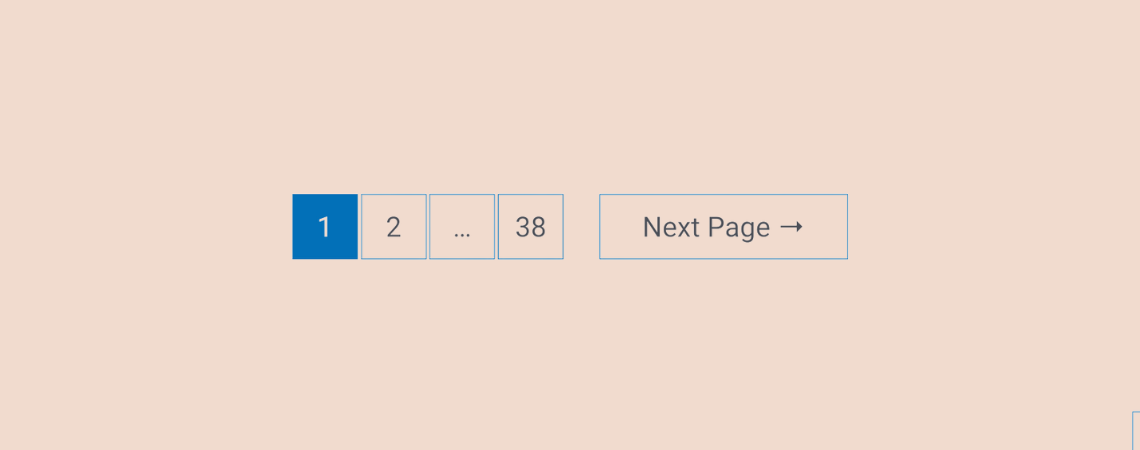
The easiest way to let visitors discover your old posts is to have pagination on your WordPress site. WordPress themes often add next/previous post links at the bottom of the archive pages. It’s good when you have fewer posts. But if you have a lot of posts on your site, it’s better to have numeric
-
How to Change Post Title Font Size in WordPress
·

While designing a blog, even the smallest changes can sometimes make all the difference. You can tweak your post title font size a little and elevate your site to make titles stand out more or seamlessly blend with the style of your content. In WordPress, you will have options for changing font sizes for your titles, which may be included with built-in options, custom CSS, or with some handy plugins. Now, let’s reconsider the way to get your desired style in those title fonts. Here, I am going to show you the process to change post tile font size with the ‘Editor. It’s a very easy method and doesn’t require
-
How to Use the Content Block in WordPress in 3 Steps

Want learn how to use the content block in WordPress? If you want that, you can do that easily if you use the content block. However, the content block is not something you will see in your editor when editing posts or pages. Even if you search for the content block in the editor, you
-
How to Add an Image from a URL in WordPress
·

Images in posts and pages make them more appealing and engaging. However, sometimes, you may need to add an image that is hosted on another site. This is where the ability to add an image from a URL in WordPress comes in handy. In this post, I will show you the process to add an
-
How to Copy or Move Comments Between WordPress Posts
·

Do you need to copy or move comments between WordPress posts? Well, in many cases it is seen that you need to delete your post but need to preserve the comments. If you don’t know anyway, then you are sure to lose your precious comments. In this post, I am sharing with you the way
-
How to Change Menu Font Size in WordPress (Block & Classic Theme)
·

A menu is a list of links that are usually shown on the top of each page on a website as a horizontal link bar. It plays a vital role in helping visitors to navigate to the different locations of a website. So it’s important to have a user-friendly menu. When it comes to making
-
How to Preload Links in WordPress For Loading Links Faster
·

Are you looking for a way to provide instant link loading to your visitors? Well, link loading is the technology that allows you to do it. It preloads your links, and your visitor gets the content immediately after clicking the link. If you don’t know how to add preload links to WordPress site of yours,
-
Where is the Publish Button on WordPress?
·
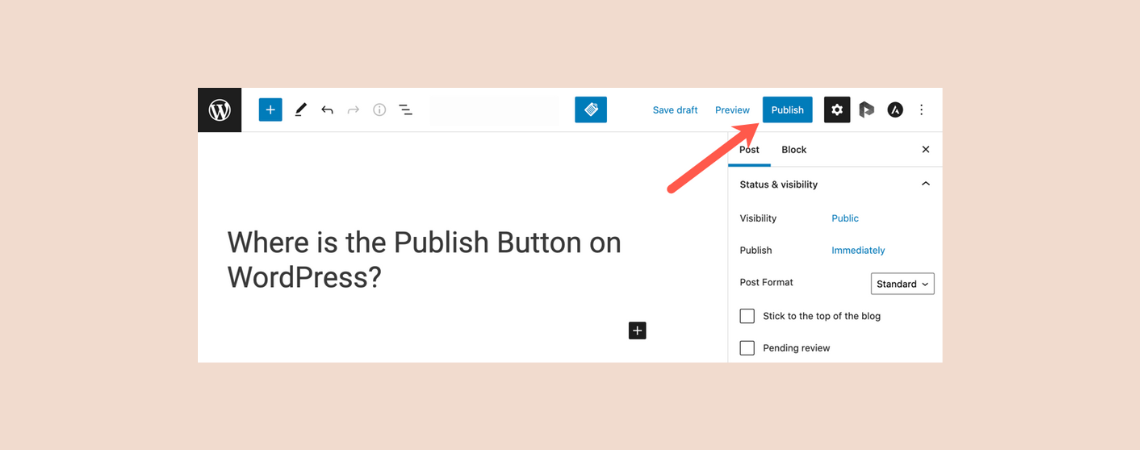
As a beginner, you might wonder where is the publish button in WordPress. You might also not know what it does. Well, for you, today, I have brought this post, where you can know about the publish, save draft, and preview options of WordPress. Supercharge Your WordPress Block Editor! Where is the Publish Button on
-
How to Create a Beautiful Event Timeline in WordPress in 3 Steps

If you want to craft a visually appealing timeline for your events to transform an ordinary website into an engaging experience for your visitors, you must follow today’s tutorial, “How to Create a Beautiful Event Timeline in WordPress.” To create a timeline event, we will use the Ultimate Blocks, a block library that enhances the
Search
Recent Posts
- How to Create a Multi-Server Video Player in WordPress Using Tabs
- 10 Best User Feedback Plugins for WordPress
- 8 Best Timeline WordPress Plugins (Free & Premium)
- 7 Best WordPress Voting Plugins (Free & Pro)
- How to Add & Embed Videos in WordPress (3 Easy Ways)
Categories
- Affiliate Marketing (5)
- Alternatives (2)
- Blogging (20)
- Books (8)
- Comparison (1)
- Courses (1)
- Deals (41)
- Giveaway (1)
- Gutenberg (47)
- How To (417)
- Marketing (2)
- Payment (1)
- Productivity (2)
- Release Notes (1)
- Review (7)
- SEO (5)
- Services (1)
- Sites (1)
- Themes (69)
- Tools (8)
- Web Hosting (11)
- WooCommerce (6)
- WordCamp (1)
- WordPress Block Editor Tutorials (101)
- WordPress Fixes (4)
- WordPress Hosting (19)
- WordPress Plugins (119)