

Author: Uzzal Raz Bongshi
-
How to Display Your WordPress Posts in a Grid Layout
·

Sometimes you should play with posts. In fact, you should show posts in different orders, like grid and masonry layouts. So that your readers don’t feel bored, and it becomes easier for your reader to read your posts. For your readers, you can show your posts in a grid layout. If you don’t know how
-
How to Embed a Google Form in WordPress (Without Any Plugin)
·

Imagine capturing leads and collecting feedback directly through your WordPress website! Embedding a Google Form unlocks this superpower. It will take a couple of minutes to create and embed the form in your WordPress page/post. If you don’t know how to do it, stick to the last. In this post, I am going to show
-
How to Use WebP Images in WordPress & Make Website Loading Faster
·

Who doesn’t want to make his website faster? Well, image is a very big fact that helps you to load your website faster. The smaller your image size, the faster it loads on your website. WebP is a modern image format that offers you a small size and helps your site to load faster. But
-
How to Add Facebook Messenger to WordPress Site
·

Facebook is one of the most common social platforms, and nowadays, almost everything can be done on this platform. This makes communication much easier and more convenient. If you add a messenger button on your website your audience will be able to contact you via live call/chat for any sort of pre-sale questions, inquiries, sales
-
How to Export WordPress Site (Two Convenient Ways)
·

Are you thinking to export WordPress site to a different hosting or just create a clone website of yours? Exporting a website is very much easier and you don’t even need to invest money to export a WordPress site. There are a lot of tools available in the WordPress plugins directory. Besides, you can also
-
How to Share an Unpublished Draft in WordPress
·

Sometimes, you may need to share a post before publishing it. Especially when you need feedback or approvals from colleagues or clients. But have you thought of a way to share an unpublished post? Well, if you don’t know, then this is the post for you. Here, I show you step-by-step process to share an
-
How to Disable Comments in WordPress (3 Easy Ways)
·

Comments help a blog in many ways. They help visitors to engage with blog posts and share their own thoughts. Besides, comments give a minor boost to SEO as search engines index comments. So, why would anyone want to disable comments on their WordPress site? Mostly because sometimes comments can be spammy, self-promotional, and harmful.
-
How to Schedule Posts in WordPress (2 Easy Ways)
·

Imagine publishing a post while you’re on vacation, asleep, or tackling other priorities! WordPress’s built-in scheduling feature grants you this superpower. Your post will be published at the scheduled time. This is one of the very useful features that most beginners don’t even notice. Using the scheduling feature is very easy. Whether you’re aiming for
-
How to Add a Search Bar in WordPress Header
·
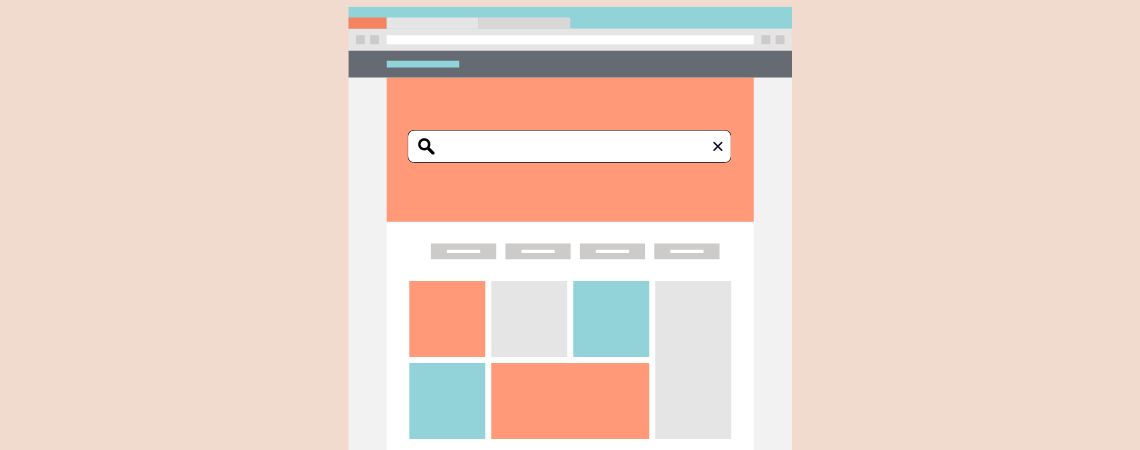
Lost in a maze of content? Empower your website visitors to find what they’re looking for quickly and effortlessly with a search bar strategically placed in your WordPress header. Whether you’re aiming to improve user engagement, decrease bounce rates, or just make your site more user-friendly, you’ll find that adding a search bar is a
Search
Recent Posts
- 10 Best FREE Notification Bar WordPress Plugins (Compared)
- Rapyd Cloud Review: Fast, Secure, and Built for WordPress Sites That Can’t Afford to Fail
- How to Create a Multi-Server Video Player in WordPress Using Tabs
- 10 Best User Feedback Plugins for WordPress
- 8 Best Timeline WordPress Plugins (Free & Premium)
Categories
- Affiliate Marketing (5)
- Alternatives (2)
- Blogging (20)
- Books (8)
- Comparison (1)
- Courses (1)
- Deals (41)
- Giveaway (1)
- Gutenberg (47)
- How To (417)
- Marketing (2)
- Payment (1)
- Productivity (2)
- Release Notes (1)
- Review (7)
- SEO (5)
- Services (1)
- Sites (1)
- Themes (69)
- Tools (8)
- Web Hosting (12)
- WooCommerce (6)
- WordCamp (1)
- WordPress Block Editor Tutorials (101)
- WordPress Fixes (4)
- WordPress Hosting (19)
- WordPress Plugins (119)