

How To
-
How to Use the Spacer Block in WordPress
·

Creating a visually appealing layout often requires controlling the spacing between elements on your WordPress site. The Spacer Block is a simple yet powerful tool for adding and managing vertical spacing between blocks, giving you more control over your page design without needing custom CSS. In this post, we’ll explore how to effectively use the
-
How to Add Special Characters in WordPress Posts (2 Methods)
·

Do you know how to add special characters to your posts? You can’t write a special character with help of a keyboard. Some of the special characters might be found on some special keyboards but those are not used by an average person. To make things easier, in today’s post I will show you how
-
How to Use the WordPress Custom HTML Block (Gutenberg)
·
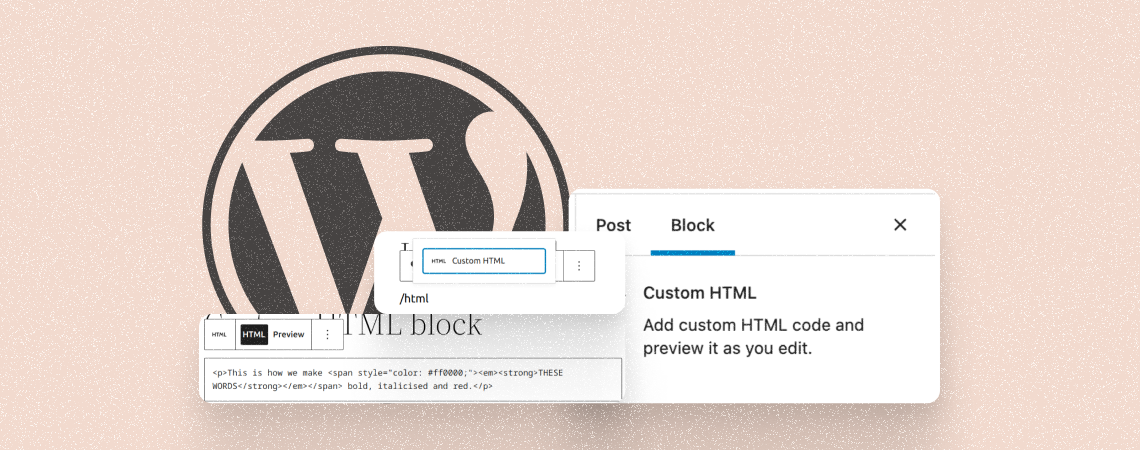
The WordPress custom HTML Block allows you to directly inject HTML code into your post or page to showcase content from external sources. You can add content like videos, Google Maps, social media widgets, audio players, and more. As a result, you don’t have to upload the entire content on your website, which saves your
-
How to Add a Reading Progress Bar in WordPress
·

A big post may seem tiresome to read, but adding a reading progress bar can bolster anyone to read the whole post. This little bar encourages readers to scroll, continue, and finish the whole post. There is no default way to add a reading progress bar in WordPress. Therefore, in today’s post, I am going
-
How to Use the WordPress Embed Block (Gutenberg)
·

The WordPress Embed block is a default Gutenberg block. It lets you embed a wide range of content from other websites and platforms into your WordPress posts and pages just by copy-pasting source links into the block. The WordPress Bmbed block supports embedding content from various sources, including YouTube, Vimeo, Twitter, Facebook, and more. As
-
How to Change Date and Time Format in WordPress
·

Have you ever wondered to change the default date and time format in WordPress site of yours? Maybe you wanted to hide a year or month in the display time. Well, if you want to change date and time format in WordPress, then this post is just for you. Here, I have shown you the
-
How to Enable Automatic Updates For WordPress Plugins
·

Plugin updates are released after a couple of days or after fixing a bug. But updating plugins every while is quite annoying. You might wish that if there was something that would update the plugins automatically. Well, worry not in this post, I will show you how to enable automatic updates for WordPress plugins. Later
-
How to Add an Image Into a Table Cell in WordPress
·

Tables are one of the best ways to keep data in order, but sometimes, plain text just is not enough. Adding images to table cells in WordPress not only makes things more readable but also presents a more creative way of passing on information. If you don’t know how to add an image into a table cell, then this post is for you. After reading the post, you will be able to add an image into
-
How to Turn Off Comment Notification in WordPress
·

Are you having annoying comment notifications on your mail account? Well, WordPress comes with comment notifications by default. If your blog size is small, you may not have any problems with comment notifications. But as your blog grows, you may get 100-1000 or even more comment notifications in one day. If you don’t want these
Search
Recent Posts
- 10 Best WordPress Popup Plugins (Free & Paid)
- Elegant Themes Discount 2026 – Up To 72% OFF! (Divi Sale)
- 10 Best FREE Notification Bar WordPress Plugins (Compared)
- Rapyd Cloud Review: Fast, Secure, and Built for WordPress Sites That Can’t Afford to Fail
- How to Create a Multi-Server Video Player in WordPress Using Tabs
Categories
- Affiliate Marketing (5)
- Alternatives (2)
- Blogging (20)
- Books (8)
- Comparison (1)
- Courses (1)
- Deals (41)
- Giveaway (1)
- Gutenberg (47)
- How To (417)
- Marketing (2)
- Payment (1)
- Productivity (2)
- Release Notes (1)
- Review (7)
- SEO (5)
- Services (1)
- Sites (1)
- Themes (69)
- Tools (8)
- Web Hosting (12)
- WooCommerce (6)
- WordCamp (1)
- WordPress Block Editor Tutorials (101)
- WordPress Fixes (4)
- WordPress Hosting (19)
- WordPress Plugins (119)