

Author: Istiak Rayhan
-
WordPress.com Vs WordPress.org: Which One To Choose?
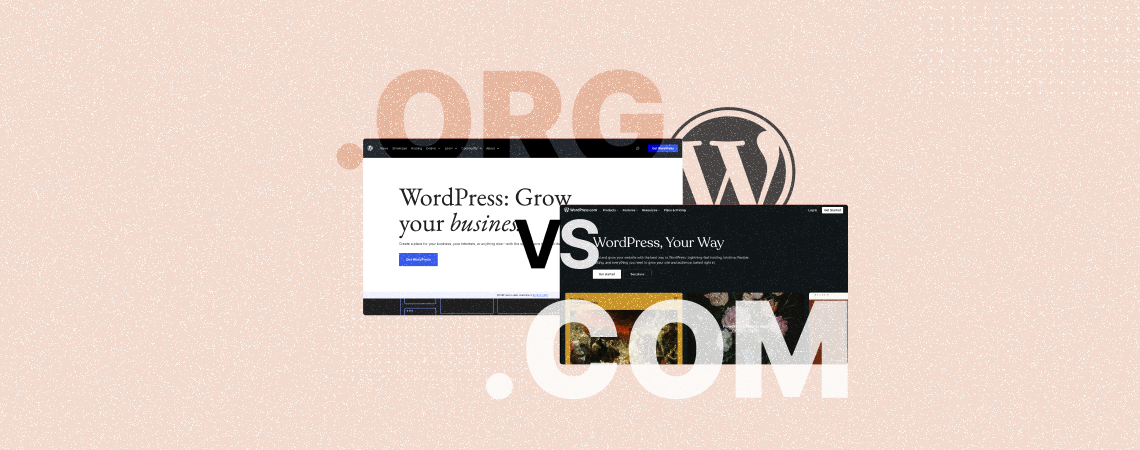
The biggest question among people starting a new website is what to choose: WordPress.com or WordPress.org? Both are products by WordPress and it quite similar. This confuses people and raises further questions such as: At some point, this gets too confusing that people end up choosing a different platform to start a website. Or, they
-
7 Best ‘About Me’ WordPress Themes (Free & Paid)
·
A strong online presence has become a must in today’s digital world for anyone, whether for professionals, businesses, and creative individuals. But without a rigorous personal brand, your online presence is worth nothing. Fortunately, you’ll find various ‘About Me’ WordPress themes online today. They come with some pre-built templates with clean and minimalist designs. You
-
How to Put Blocks Side by Side in WordPress (2 Easy Ways)
·

Looking for a seamless way to arrange blocks side by side in WordPress? Look no further. You are in the right place. With the introduction of the WordPress Block Editor, aligning blocks side by side in posts and pages has become a breeze, eliminating the need for extra plugins or coding. The two core WordPress
-
How to Select Multiple Blocks in WordPress (3 Ways)
·

If you’re new to the WordPress Block editor, you might be wondering how to select multiple blocks. Well, in this short tutorial, I’ll show you how to select multiple blocks in WordPress in 3 different ways. Selecting multiple blocks at once can be very useful if you want to copy them, or move them somewhere,
-
How to Add a Link to an Image in WordPress (2 Easy Methods)
·

Images play a crucial role in holding visitors’ attention and increasing their sessions while visiting a website. Numerous studies have found that web posts and pages with images tend to perform better in terms of engagement and conversions. But there might be some situations when you may want to add a link to your images
-
How to Center a Button in WordPress Block Editor

Buttons are a great way to add call-to-actions to a website. But by default, they always come as left-aligned in the WordPress block editor. This may not look aesthetically appealing or properly functional in all cases. Centering buttons on WordPress websites can make the visual more balanced and help draw the attention of readers and
-
7+ Best Website Builders for Sports (Clubs/Teams/Leagues)
·
Building a sports website can help you shine a spotlight on your team and build a community of fans and supporters. Whether you’re building a sports website to display live scores, team history, or players’ information, today there are many modern website builders that can help you achieve this with ease. These website builders for
-
How to Justify Text In WordPress (Block Editor)
·

If you are a complete beginner and have no idea about how to justify text in the WordPress Block editor, we got a solution for you. There is no such default option or keyboard shortcut for justifying text in Gutenberg. But don’t worry, this post will teach you how to Justify Text in WordPress for Gutenberg
-
How to Add a Subpage in WordPress
·

A subpage is also called a child page that is hierarchically and structurally linked to another page, the parent page. Subpages are used to create logical categorization and organization of content and present them in a hierarchical structure. The parent-child relationship between pages makes it easy for users and visitors to navigate and quickly find
Search
Recent Posts
- How to Add & Embed Videos in WordPress (3 Easy Ways)
- 15+ Best WordPress Lifetime Deals (Plugins, Themes, & More)
- Tabbed Content (Tabs) Block Use Cases for WordPress (With Examples)
- Content Toggle (Accordion) Block Use Cases for WordPress (With Examples)
- 10+ Best WordPress Plugins for Writers and Authors
Categories
- Affiliate Marketing (5)
- Alternatives (2)
- Blogging (20)
- Books (8)
- Comparison (1)
- Courses (1)
- Deals (41)
- Giveaway (1)
- Gutenberg (47)
- How To (416)
- Marketing (2)
- Payment (1)
- Productivity (2)
- Release Notes (1)
- Review (7)
- SEO (5)
- Services (1)
- Sites (1)
- Themes (69)
- Tools (8)
- Web Hosting (11)
- WooCommerce (6)
- WordCamp (1)
- WordPress Block Editor Tutorials (101)
- WordPress Fixes (4)
- WordPress Hosting (19)
- WordPress Plugins (119)