

Author: Uzzal Raz Bongshi
-
How to Change Logo in WordPress (2024)
·
Whenever someone visits a site, the very first thing s/he notices is the logo of the website. That’s why most of the websites place it on the upper left-hand corner. Yes, your logo is the signature of your brand. It helps you to make your brand memorable and stand out from the crowd. So, one
-
How to Add a Shortcode in WordPress (Quick Guide)
·
Adding dynamic content in your WordPress posts/pages is very easy if you consider to add a shortcode. All you have to do is place code inside your page/post, and your dynamic content will be ready. There are many themes and plugins in WordPress that use shortcodes to add galleries, sliders, contact forms, and more. Using WordPress
-
How to Make a Phone Number Clickable in WordPress
·
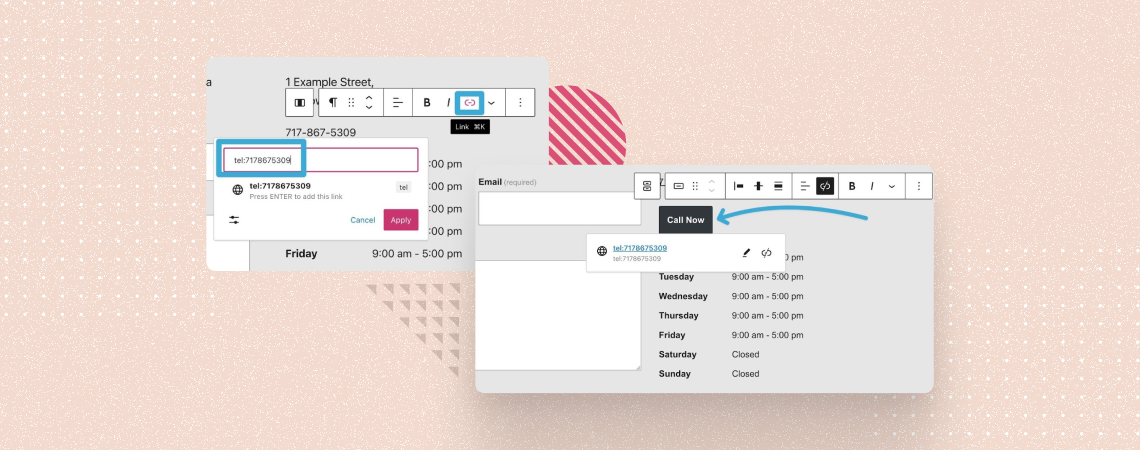
Remember the days when phone numbers were just boring strings of digits, trapped in the digital wilderness of website text? No more! Today, we’re unlocking the click-worthy potential of those lonely numbers, transforming them into call magnets that will make your WordPress site hum with the sweet melody of ringing phones. In this post, I
-
How to Create a Separate Page For Blog Posts in WordPress
·
WordPress displays all blog posts on the homepage by default. It’s good when your site is a blog. But if you run a business site or an official website of an organization, it’s not a good idea to show just blog posts on the home page. Rather, you should have a separate page for your
-
What Does WP Mean?
·
WP is a word that comes with more than 500 different meanings in eight different categories. WordPress (wp) is most commonly known as a content management system (CMS), but it can also signify “White People”, “Well Played”, “Work Place”, or “World Peace”. If you are new to hearing the word WordPress, then don’t worry. This
-
How to Install a WordPress Theme (Easiest Method)
·

To publish your WordPress website, there is no other alternative but to install a WordPress theme and use it. There are thousands of paid and free WordPress themes available in the WordPress theme directory and in the marketplaces. As a beginner, you might not know how to install a WordPress theme. In this beginner’s guide,
-
How to Add a Link in WordPress Menu
·
The menu is one of the very important elements for customizing your WordPress website. A menu may include links to your pages, posts, social media, etc. A visitor will use your menu to navigate in different locations of your site. If you don’t know how to add a link in the WordPress menu, then you
-
How to Easily Find And Remove Stolen Content in WordPress
·
How does it feel when someone steals your hard work? Well, it might feel very bad. Your content can be stolen, and the publisher can take away traffic from you. You can stop this and remove stolen content by yourself. In this post, I will show you how to easily find and remove stolen content by
-
How to Delete a WordPress Theme (3 Easy Ways)
·
Have you recently switched your WordPress theme and now want to delete your old theme? Or you may have a few pre-installed themes on your WordPress website that you want to delete. If you don’t know how to delete a WordPress theme, then stick to this post. In this post, I am going to show
Search
Recent Posts
- 10 Best FREE Notification Bar WordPress Plugins (Compared)
- Rapyd Cloud Review: Fast, Secure, and Built for WordPress Sites That Can’t Afford to Fail
- How to Create a Multi-Server Video Player in WordPress Using Tabs
- 10 Best User Feedback Plugins for WordPress
- 8 Best Timeline WordPress Plugins (Free & Premium)
Categories
- Affiliate Marketing (5)
- Alternatives (2)
- Blogging (20)
- Books (8)
- Comparison (1)
- Courses (1)
- Deals (41)
- Giveaway (1)
- Gutenberg (47)
- How To (417)
- Marketing (2)
- Payment (1)
- Productivity (2)
- Release Notes (1)
- Review (7)
- SEO (5)
- Services (1)
- Sites (1)
- Themes (69)
- Tools (8)
- Web Hosting (12)
- WooCommerce (6)
- WordCamp (1)
- WordPress Block Editor Tutorials (101)
- WordPress Fixes (4)
- WordPress Hosting (19)
- WordPress Plugins (119)