Skip to content
How to Create a Coupon Website with WordPress That Converts

Do you want to create a coupon website with WordPress and earn money from it? Now, people shop online more than ever. Plus, big marketplaces like Amazon, AliExpress, eBay and other online stores offer coupons to attract more customers. The best part is that people can share these coupons as affiliates and earn commissions too.…
How to Duplicate Block(s) in WordPress

Duplicating blocks in WordPress can simplify your content creation process, allowing you to quickly reuse layouts and designs without starting from scratch. This feature is handy when maintaining consistency across your posts or pages. Whether you’re creating multiple sections with similar formatting or experimenting with different content variations, duplicating blocks saves you time and effort.…
How to Add Images in WordPress (A Beginner’s Guide)

Adding images in the classic WordPress editor was very simple. You just click on the ‘Add Media’ button and insert the image. However, things have changed ever since WordPress has introduced the Block Editor aka Gutenberg. The Block editor functions with the use of blocks. Blocks are used for every element in the editor. Images…
How to Use WordPress Block Patterns (Complete Guide)
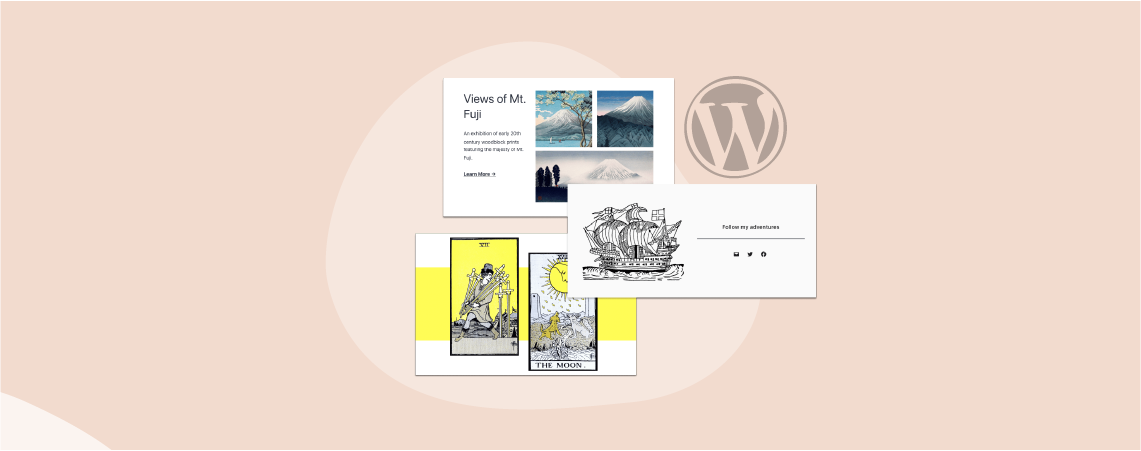
When managing a website, there are often cases where you want to reuse the same elements on multiple pages on your website. This could be anything such as a pricing table, call-to-action, or an information box. Instead of recreating these elements over and over again for all your pages, WordPress gives you the power to…
How to Delete a Post or Page in WordPress: 3 Easy Methods

Posts and pages are two fundamental elements in WordPress. They are used to publish posts, articles, forms, campaign offers, and more. Often you need to delete some of your obsolete and unnecessary posts and pages to keep the website clean. WordPress is a powerful content management system that allows you to do it seamlessly. This…
OptinMonster Review: Is it Worth The Hype & Money?

Over 300 billion emails are sent each day, and this number is likely to reach 400 billion by 2026. This shows the power of email marketing and the importance of building an email list. And to grow your email list effectively, you’ll need to rely on tools that help you with list building seamlessly. One such tool…
8 Best Custom Post Types WordPress Plugins

Are you looking for a way to add custom post types with distinct characteristics and an expanded layout? If yes, you are in the right place. WordPress has built-in post types, which are enough for a simple blog or website. But if you want to organize your content more efficiently and have more control over…
Where is the Styles Tab in WordPress Block Editor?
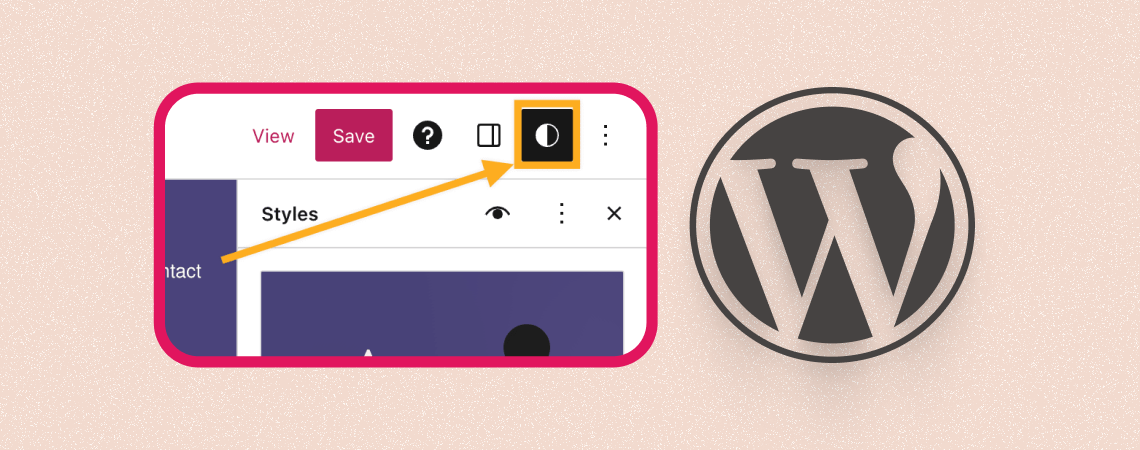
Looking for other block settings? They’ve moved to the styles tab. You might have noticed this notification under the block options panel. So if you’re looking for the ‘Styles Tab’, you’re in the right place. The Styles tab in WordPress is a feature that allows you to customize the appearance of your blocks without having…
How to Change Button Text in WordPress Block Editor

Buttons play a crucial role in guiding users toward actions like signing up or purchasing. The text on these buttons directly impacts conversions. Effective button text improves clicks by aligning with your audience’s expectations. For example, replacing generic “Submit” text with action-oriented phrases like “Get Your Free Guide” often boosts engagement. This guide will show…
Search
Recent Posts
- 10+ Best WordPress Knowledge Base & Documentation Plugins
- 10 Best Thrive Leads Alternatives for 2026 (Free and Paid)
- 8 Best WordPress Hosting With Free Domain Name (2026)
- 14 Best SEO Plugins for WordPress (Most Are Free)
- 6 Best Image Hotspot WordPress Plugins (Free & Paid)
Categories
- Affiliate Marketing (5)
- Alternatives (2)
- Blogging (20)
- Books (8)
- Comparison (1)
- Courses (1)
- Deals (41)
- Giveaway (1)
- Gutenberg (47)
- How To (417)
- Marketing (2)
- Payment (1)
- Productivity (2)
- Release Notes (2)
- Review (7)
- SEO (5)
- Services (1)
- Sites (1)
- Themes (69)
- Tools (8)
- Web Hosting (13)
- WooCommerce (6)
- WordCamp (1)
- WordPress Block Editor Tutorials (101)
- WordPress Fixes (4)
- WordPress Hosting (19)
- WordPress Plugins (119)