Skip to content
How to Use the WordPress Group Block (Gutenberg)

The WordPress Group block is a custom Gutenberg block that allows you to group multiple blocks together in the same container. The group block actually works as a parent block that holds and organize multiple child block within it. The group block is extremely helpful in many cases, especially in content organization and keeping the…
How to Create an Amazon Affiliate Store in WordPress in 8 Easy Steps

Do you want to create an Amazon affiliate store using WordPress? Well, you’re in the right place. You see, the internet abounds with so many Amazon affiliate marketing tutorials. Unfortunately, very few of them make noise out of the box. Many are confusing, while others are time-consuming. This is why we have created a complete…
How to Center a YouTube Video in WordPress

Would you like to set your YouTube videos at the center of your WordPress website? By default WordPress automatically align your video to the left, if its width is less than that of your article field. Here, I have shown a quick process that will take only a couple of seconds. Then you will find…
How to Add Categories and Subcategories in WordPress
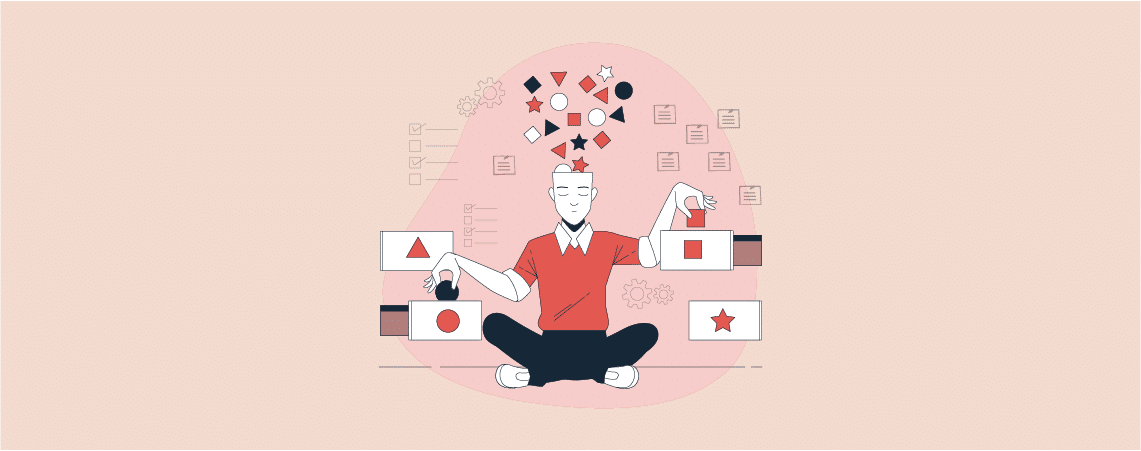
As a beginner, you might not know, how to add categories and subcategories. Don’t worry, I have got your back here. Categories and subcategories help you to organize your posts. It helps readers to find the correct content they have been looking for. Proper content categorization also helps to improve the SEO ranking of your…
Link Whisper Discount Code – Get $45 OFF!

If you’re struggling to build internal links, then Link Whisper is the best plugin that will sort out all your internal linking challenges. This internal linking WordPress plugin can help you automatically interlink your website content. You can enable auto-linking by setting some keywords, manually building links to pages, and more. In this article, I’ll…
Independent Analytics Review – Best Google Analytics Alternative for WordPress?

There is a proverb – when a product is free, you become the product. Your personal information is used in various ways by which the free product developer leverages both financial and strategic benefits behind the scenes. Google Analytics is one of them. We mostly use it to track and analyze web traffic and site…
How to Bulk Delete All WordPress Posts in 3 Easy Steps

Deleting WordPress posts is an easy task. But, selecting and deleting particular posts is time-consuming. If you are looking for a way to bulk delete all WordPress posts, we will help you with a small guideline. Today’s post will show the easiest way to delete all WordPress posts in bulk. But before that, let’s learn…
How to Add a Link to the Cover Block in WordPress

A visually engaging content is the key to capture your audience’s attention. The cover block is the just perfect tool for this purpose. By adding a link on the cover block you can turn this eye catching block into a powerful call to action. If you don’t know how to add a link to the…
How to Add Feature Boxes With Icons in WordPress

Feature Boxes with Icons can make your WordPress posts/pages attractive. These boxes allow you to highlight features in an easy-to-understand and engaging way. When it comes to adding feature boxes with icons, you need to have coding skills or you need to use a plugin. Here, I will be sharing how to add feature boxes…
Search
Recent Posts
- 10+ Best WordPress Knowledge Base & Documentation Plugins
- 10 Best Thrive Leads Alternatives for 2026 (Free and Paid)
- 8 Best WordPress Hosting With Free Domain Name (2026)
- 14 Best SEO Plugins for WordPress (Most Are Free)
- 6 Best Image Hotspot WordPress Plugins (Free & Paid)
Categories
- Affiliate Marketing (5)
- Alternatives (2)
- Blogging (20)
- Books (8)
- Comparison (1)
- Courses (1)
- Deals (41)
- Giveaway (1)
- Gutenberg (47)
- How To (417)
- Marketing (2)
- Payment (1)
- Productivity (2)
- Release Notes (2)
- Review (7)
- SEO (5)
- Services (1)
- Sites (1)
- Themes (69)
- Tools (8)
- Web Hosting (13)
- WooCommerce (6)
- WordCamp (1)
- WordPress Block Editor Tutorials (101)
- WordPress Fixes (4)
- WordPress Hosting (19)
- WordPress Plugins (119)