

-
How to Add Hover Effects to Buttons in WordPress
·

Plain buttons may not be attractive enough always to inspire web visitors to click and bring conversions. Adding hover effects can play a big role in this case. It changes the visual appearance of a button whenever users hover their cursor on it. These changes may take place in the form of changing the button’s
-
How to Remove The Remember Me Option From WordPress Login

Concerned about leaving your WordPress site vulnerable with the “Remember Me” option? While convenient, it can pose security risks. The ‘Remember Me’ option lets you save your data for a long time and lets you access the website without logging in each time you visit. In this post, I will show you how to remove
-
How To Add “Buy On Amazon” Button In WordPress
·

Are you leveraging the full potential of your Amazon affiliate links? In the world of affiliate marketing, it’s not just about what you recommend but how you encourage your audience to take action. Amazon, being the most trusted online shopping site globally, already has your audience’s trust. But how do you translate this trust into
-
How to Use the WordPress List Block (Gutenberg)
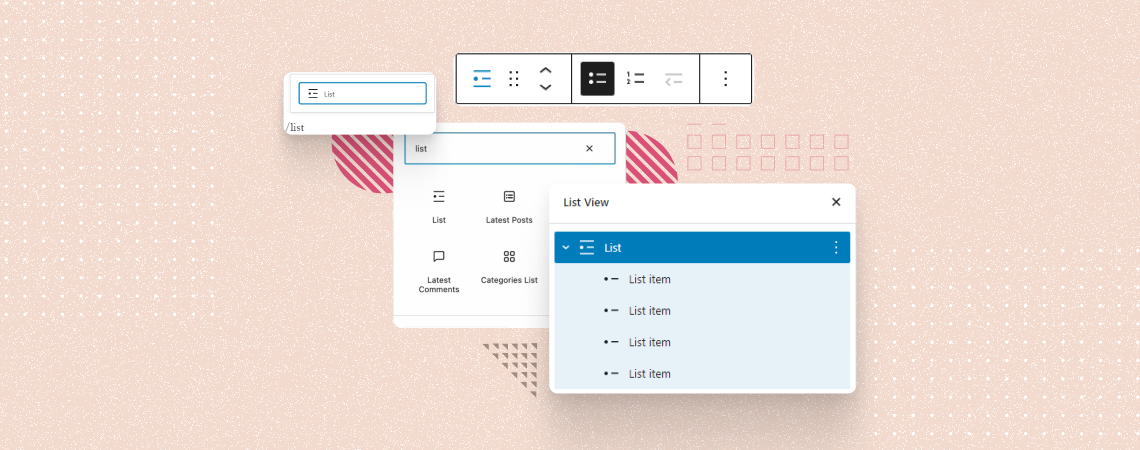
The WordPress List block is one of the most heavily used Gutenberg blocks that allows you to create various types of lists in bullet, numbered, and nested indent styles. It provides an easy way to structure your content in organized ways. Using the List block, you can create step-by-step guides, outline key points, and present
-
How to Rollback WordPress Themes to a Previous Version
·

Updates always make you more secure and enrich with customizations. But sometimes updates might cause you trouble. For instance, a new update in your current theme may break your entire website. There are high chances that it may cause compatibility issues or doesn’t meet your expectations. In these circumstances, rolling back to the previous version
-
How to Disable Autosave in WordPress (3 Easy Ways)
·

WordPress saves everything you write on the editor after an interval of 60 seconds. All of the changes that you bring to your page/post are saved as revisions in your database. It’s a lifesaver if you somehow forget to save your posts. But the downside of the autosave feature is that it can use excessive
-
7+ Best Facebook WordPress Plugins To Grow Your Audience

With around 2.9 billion users worldwide, Facebook provides an immeasurable scope to reach a wider audience. If you’re a WordPress user and want to leverage the power of Facebook on your site, you’re in luck. Here we will be discussing the 7 best Facebook WordPress Plugins that will help you to boost engagement and get
-
How To Add ALT Text To Images In WordPress (Easy Way)
·

Optimizing images for SEO and accessibility is a key element in enhancing your website’s performance, and a fundamental part of this optimization involves adding appropriate alt text to your images. Alt Text, short for Alternative Text and also known as ALT Tags, was initially developed to aid visually impaired users by providing a text alternative
-
How to Add a Line Break in WordPress (Spacer)
·

Struggling with clunky paragraphs in your WordPress posts? Annoying gaps where you just want a clean line break? Fear not! This guide unveils the secrets to adding perfect line breaks and extra spacing in your WordPress content, ensuring a visually pleasing and professional reading experience for your audience. In most editors, you can create extra
Search
Recent Posts
- How to Create a Multi-Server Video Player in WordPress Using Tabs
- 10 Best User Feedback Plugins for WordPress
- 8 Best Timeline WordPress Plugins (Free & Premium)
- 7 Best WordPress Voting Plugins (Free & Pro)
- How to Add & Embed Videos in WordPress (3 Easy Ways)
Categories
- Affiliate Marketing (5)
- Alternatives (2)
- Blogging (20)
- Books (8)
- Comparison (1)
- Courses (1)
- Deals (41)
- Giveaway (1)
- Gutenberg (47)
- How To (417)
- Marketing (2)
- Payment (1)
- Productivity (2)
- Release Notes (1)
- Review (7)
- SEO (5)
- Services (1)
- Sites (1)
- Themes (69)
- Tools (8)
- Web Hosting (11)
- WooCommerce (6)
- WordCamp (1)
- WordPress Block Editor Tutorials (101)
- WordPress Fixes (4)
- WordPress Hosting (19)
- WordPress Plugins (119)