Skip to content
How to Disable Self Pingbacks in WordPress (3 Easy Ways)

Interlinking or linking your own posts is great for SEO. However, after doing this, you might get started self pingbacks from your own domain, which is very much frustrating and cluttered with your comments. It may even send you annoying emails. If you want to shoot out this problem and disable self pingback in WordPress,…
10 Best WordPress Themes for Freelancers

As a freelancer, your online presence should be impactful in attracting clients by showcasing your skills and expertise. In the world of freelancing, having a standout website is essential to establish your professional brand and attract clients. With the abundance of WordPress themes available, finding the perfect one can be overwhelming. That’s why we’ve curated…
10 Best BuddyPress WordPress Themes For Building Engaging Communities

Building an engaging online community requires the right tools, and BuddyPress WordPress themes offer a wide range of options to create vibrant and interactive social networks. If you are looking for the best BuddyPress WordPress themes, we have the list of the 10 best WordPress BuddyPress themes here. With their extensive features, customization options, and…
How to Edit Footer in WordPress [5 Easy Methods]

In a WordPress website, every portion is important. You cannot say that footer is less important than a header. A footer has its own importance. However, just as important yet sometimes overlooked is learning to edit footer in WordPress. There are many ways to edit footer in WordPress and make it more useful for your…
How to Change Logo in WordPress (2024)
Whenever someone visits a site, the very first thing s/he notices is the logo of the website. That’s why most of the websites place it on the upper left-hand corner. Yes, your logo is the signature of your brand. It helps you to make your brand memorable and stand out from the crowd. So, one…
How to Add a Shortcode in WordPress (Quick Guide)
Adding dynamic content in your WordPress posts/pages is very easy if you consider to add a shortcode. All you have to do is place code inside your page/post, and your dynamic content will be ready. There are many themes and plugins in WordPress that use shortcodes to add galleries, sliders, contact forms, and more. Using WordPress…
How to Use the Details Block in WordPress
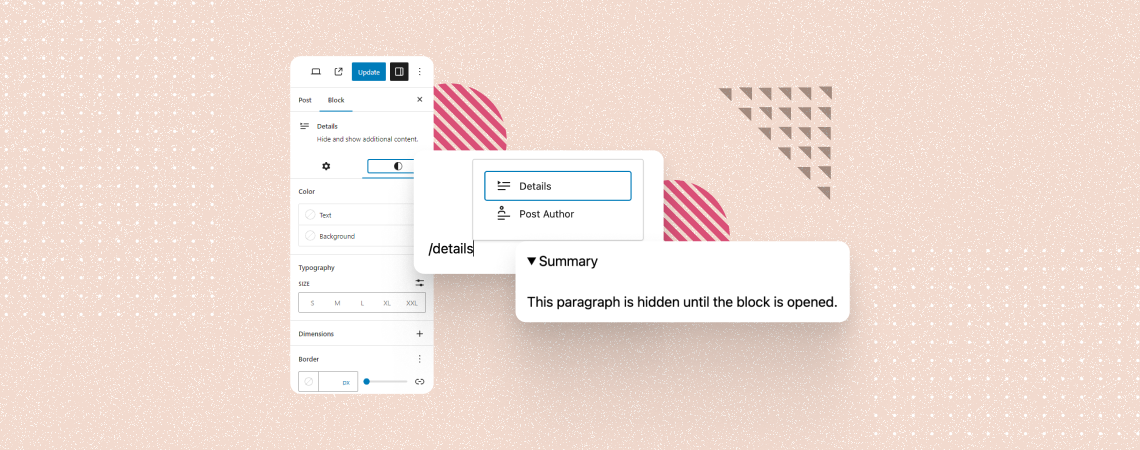
The Details block is a default WordPress block that allows you to add hidden content under a parent block with a text summary. This block works like the accordion and hides content in the nested format. By clicking on the text summary, users can see the hidden content. This article will explain to you how…
10 Best Electronic Gadget WordPress Themes
WordPress themes play a crucial role in shaping the online presence of electronic gadget stores. A well-designed theme enhances the visual appeal and improves the overall user experience. In this post, we will introduce you to the top 10 electronic gadget WordPress themes crafted to meet the specific needs of electronic gadget retailers and offer…
How to Make a Phone Number Clickable in WordPress
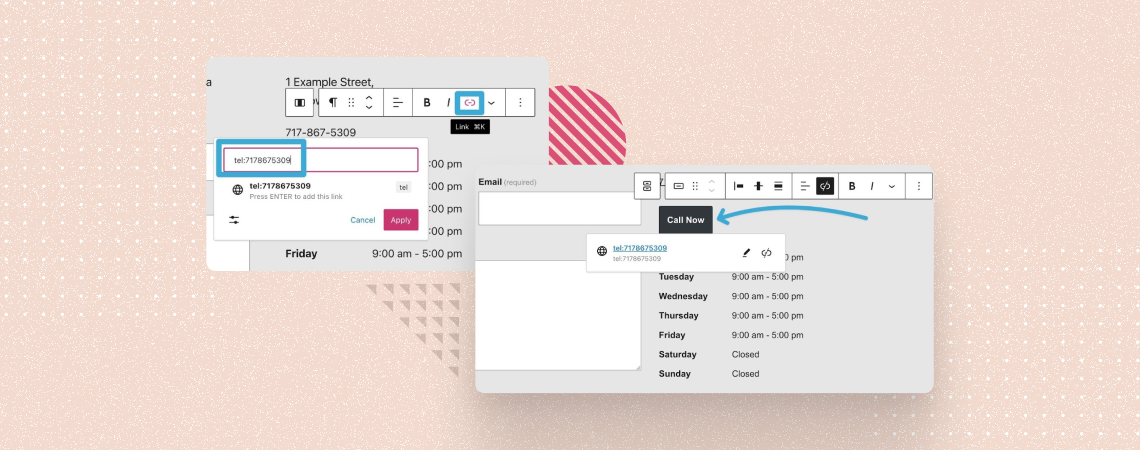
Remember the days when phone numbers were just boring strings of digits, trapped in the digital wilderness of website text? No more! Today, we’re unlocking the click-worthy potential of those lonely numbers, transforming them into call magnets that will make your WordPress site hum with the sweet melody of ringing phones. In this post, I…
Search
Recent Posts
- 10+ Best WordPress Knowledge Base & Documentation Plugins
- 10 Best Thrive Leads Alternatives for 2026 (Free and Paid)
- 8 Best WordPress Hosting With Free Domain Name (2026)
- 14 Best SEO Plugins for WordPress (Most Are Free)
- 6 Best Image Hotspot WordPress Plugins (Free & Paid)
Categories
- Affiliate Marketing (5)
- Alternatives (2)
- Blogging (20)
- Books (8)
- Comparison (1)
- Courses (1)
- Deals (41)
- Giveaway (1)
- Gutenberg (47)
- How To (417)
- Marketing (2)
- Payment (1)
- Productivity (2)
- Release Notes (2)
- Review (7)
- SEO (5)
- Services (1)
- Sites (1)
- Themes (69)
- Tools (8)
- Web Hosting (13)
- WooCommerce (6)
- WordCamp (1)
- WordPress Block Editor Tutorials (101)
- WordPress Fixes (4)
- WordPress Hosting (19)
- WordPress Plugins (119)