Skip to content
How To
How to Justify Text In WordPress (Block Editor)

If you are a complete beginner and have no idea about how to justify text in the WordPress Block editor, we got a solution for you. There is no such default option or keyboard shortcut for justifying text in Gutenberg. But don’t worry, this post will teach you how to Justify Text in WordPress for Gutenberg…
How to Add SEO Focus Keywords in WordPress

Unleash the SEO potential of your WordPress site! In the competitive online landscape, simply creating great content isn’t enough. Knowing the secrets of strategic keyword placement is crucial. There are many factors for content to rank above in search results. If you don’t optimize these factors, your content or page might not rank better. Focus…
How to Add a Subpage in WordPress

A subpage is also called a child page that is hierarchically and structurally linked to another page, the parent page. Subpages are used to create logical categorization and organization of content and present them in a hierarchical structure. The parent-child relationship between pages makes it easy for users and visitors to navigate and quickly find…
How to Create an Image Box in WordPress

While text is a powerful tool for communicating your message, sometimes words alone just don’t cut it. That’s where image boxes come in! These versatile elements combine eye-catching visuals with concise text, creating a visually appealing and informative package for your WordPress content. But how do you create these captivating image boxes? Worry not! This…
How to Add a Button Over an Image in WordPress

Do you want to learn how to add a button over an image in WordPress? Well, you’ve come to the right place! Placing buttons over images is very common and an excellent way to emphasize users to take action. You can use buttons over images as CTAs in your content. In this article, I’ll show…
How to Add A Text Box In WordPress Posts/Pages
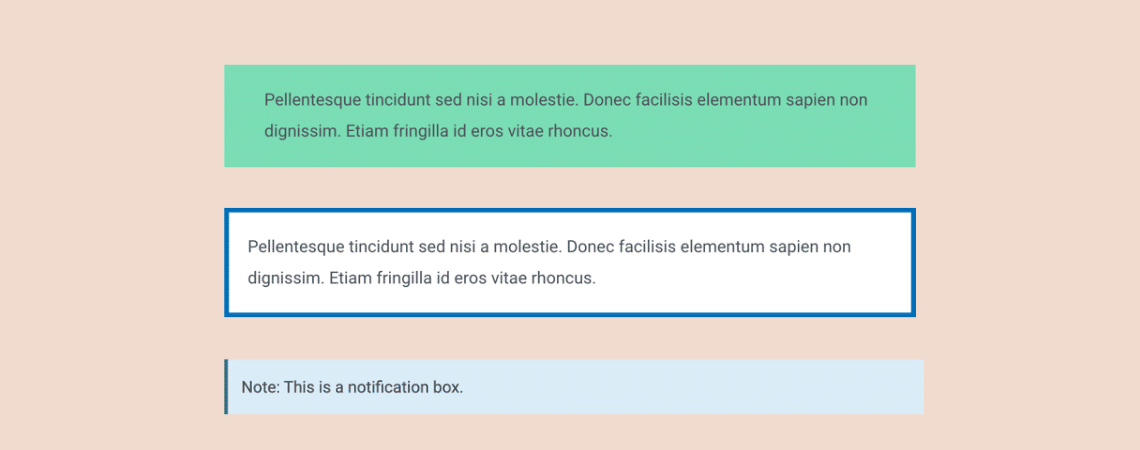
Want to learn how to add a text box in WordPress posts and pages? Well, you’ve come to the right place! In this quick tutorial, I’ll show you how to add a text box to your posts and pages easily. I’ll walk you through each step in detail. The most beautiful part about this is…
How to Add Emoji in WordPress (Easiest Way)

Think emojis are just for casual chats and social media? Think again! Emojis can be powerful tools for bloggers, businesses, and content creators alike. If you don’t know how to add emoji in WordPress, then this post is for you. This post empowers you to seamlessly integrate emojis into your WordPress posts and pages, enhancing…
How to Add ‘Content Filter’ in WordPress Posts/Pages

Navigating content efficiently amidst a long post/page has always been challenging. To tackle this challenge, you can use a content filter. A content filter will make your list posts more engaging and easier to navigate. It can dramatically transform how your audience interacts with your content. Before diving into how to add a content filter…
How to Use the Row Block in WordPress
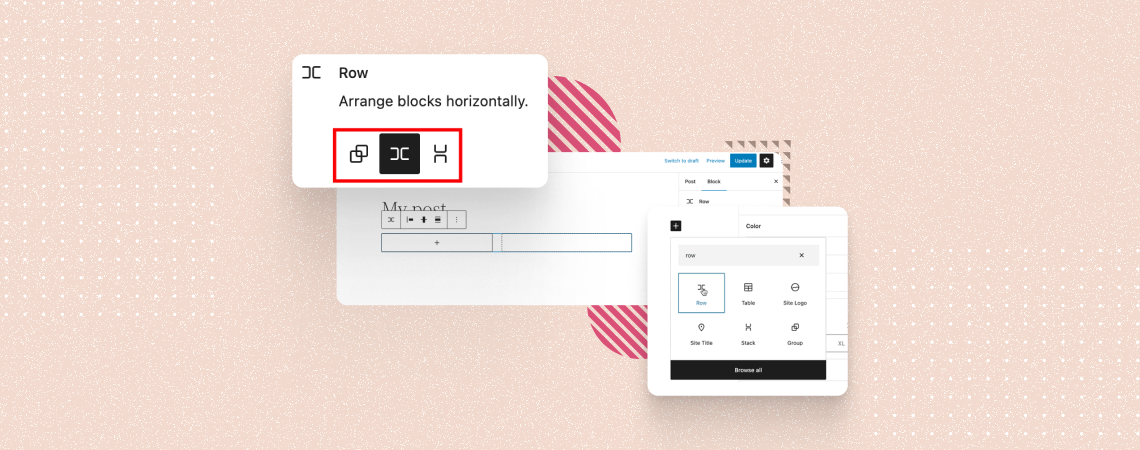
The Row block in WordPress allows you to organize and present content horizontally in a row. You can create multiple columns within the row to add different types of content, whether it be images, videos, buttons, texts, or else. The Row block is extremely helpful in creating pricing tables, customized galleries, testimonial sections, and any…
Search
Recent Posts
- Best WordPress Halloween Deals 2026: Plugins, Tools & Discounts
- Black Friday WordPress Deals 2026: Best Plugin, Theme & Hosting Sales
- Elegant Themes Discount: Divi Up to 75% Off (No Code Needed)
- 11 Best Page Builders for WordPress (Drag & Drop)
- 9 Best WordPress Maintenance Service Providers
Categories
- Affiliate Marketing (5)
- Alternatives (2)
- Blogging (20)
- Books (8)
- Comparison (1)
- Courses (1)
- Deals (42)
- Giveaway (1)
- Gutenberg (47)
- How To (417)
- Marketing (2)
- Payment (1)
- Productivity (2)
- Release Notes (2)
- Review (7)
- SEO (5)
- Services (1)
- Sites (1)
- Themes (69)
- Tools (8)
- Web Hosting (13)
- WooCommerce (6)
- WordCamp (1)
- WordPress Block Editor Tutorials (100)
- WordPress Fixes (4)
- WordPress Hosting (19)
- WordPress Plugins (119)